

Link straight to the review form
Useful when you email customers asking for a review, or add a “Write a review” button somewhere on your site. The link opens your reviews page, scrolls to the form and expands it, so the customer does not have to hunt for it.
-
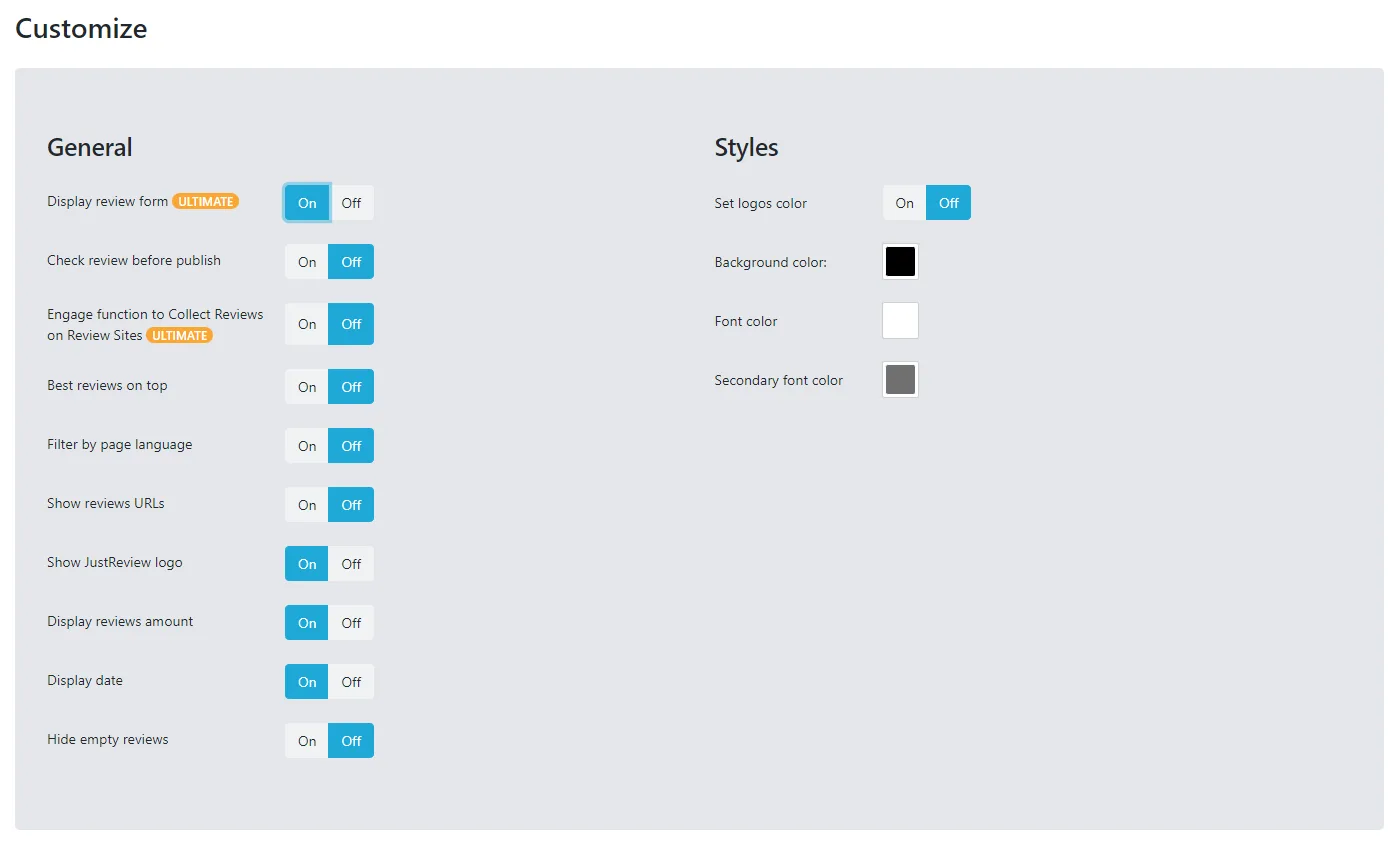
Enable the option in the JustReview Page widget.
It is the first option in the widget settings.
-
Add
#leave-reviewto the end of your page URL.https://yourwebsite.com/reviews#leave-review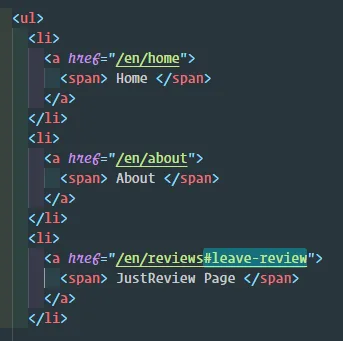
-
Regenerate the code and replace the snippet on your site.
The option is stored inside the snippet, so the old code keeps the old behaviour.
Nothing happens when I open the link
-
The option is switched off in the widget, or the code on your site was not regenerated after switching it on.
-
The URL is missing the
#leave-reviewpart, or your CMS strips the fragment from links. Check the address bar after clicking. -
The page has no JustReview Page widget on it. The link only works on the page where that widget is embedded.
-
A sticky header covers the form. The scroll lands correctly but the form sits under the header. Add scroll padding in your own CSS:
html { scroll-padding-top: 90px; }