

Import reviews from a CSV file
Useful when you are moving from another review tool, recovering history that fell outside a platform’s time window, or you collected reviews yourself and want them on your site.
The file format
One header row, then one row per review. Both a header row and at least one data row are required.
The separator is detected automatically: if the header contains more semicolons than commas, we read it as semicolon-separated, which means an export straight out of Excel usually works untouched.
Only one column is mandatory: the review text.
| Column | Required | Accepted header names | If missing |
|---|---|---|---|
| Review text | yes | content, text, review, comment, body, tresc, opinia | file rejected |
| Author | no | author, name, reviewer, autor | becomes Anonymous |
| Rating | no | stars, rating, score, star, ocena, gwiazdki | becomes 5 |
| Date | no | date, created, data | becomes today |
| Link | no | url, link | empty |
| Language | no | lang, language, jezyk | becomes en |
Header names are case-insensitive, so Author and author both work.
Example
author,content,stars,date,langAnna Kowalska,"Fast shipping, exactly as described.",5,2026-03-14,enMarek,"Good product, packaging could be better.",4,2026-04-02,pl,"Very happy with the service.",5,,enThe third row has no author, so it will show as Anonymous.
How values are handled
Rating is rounded and clamped to the 1 to 5 range. A 4,5 with a comma works, so European
exports do not need converting. Anything above 5 becomes 5, anything below 1 becomes 1.
Date accepts common formats. If a date cannot be read, today’s date is used rather than failing the whole row.
Language is what the page language filter uses later. Worth filling in if your site is multilingual.
Rows with empty review text are skipped, and reported back as skipped.
Import it
-
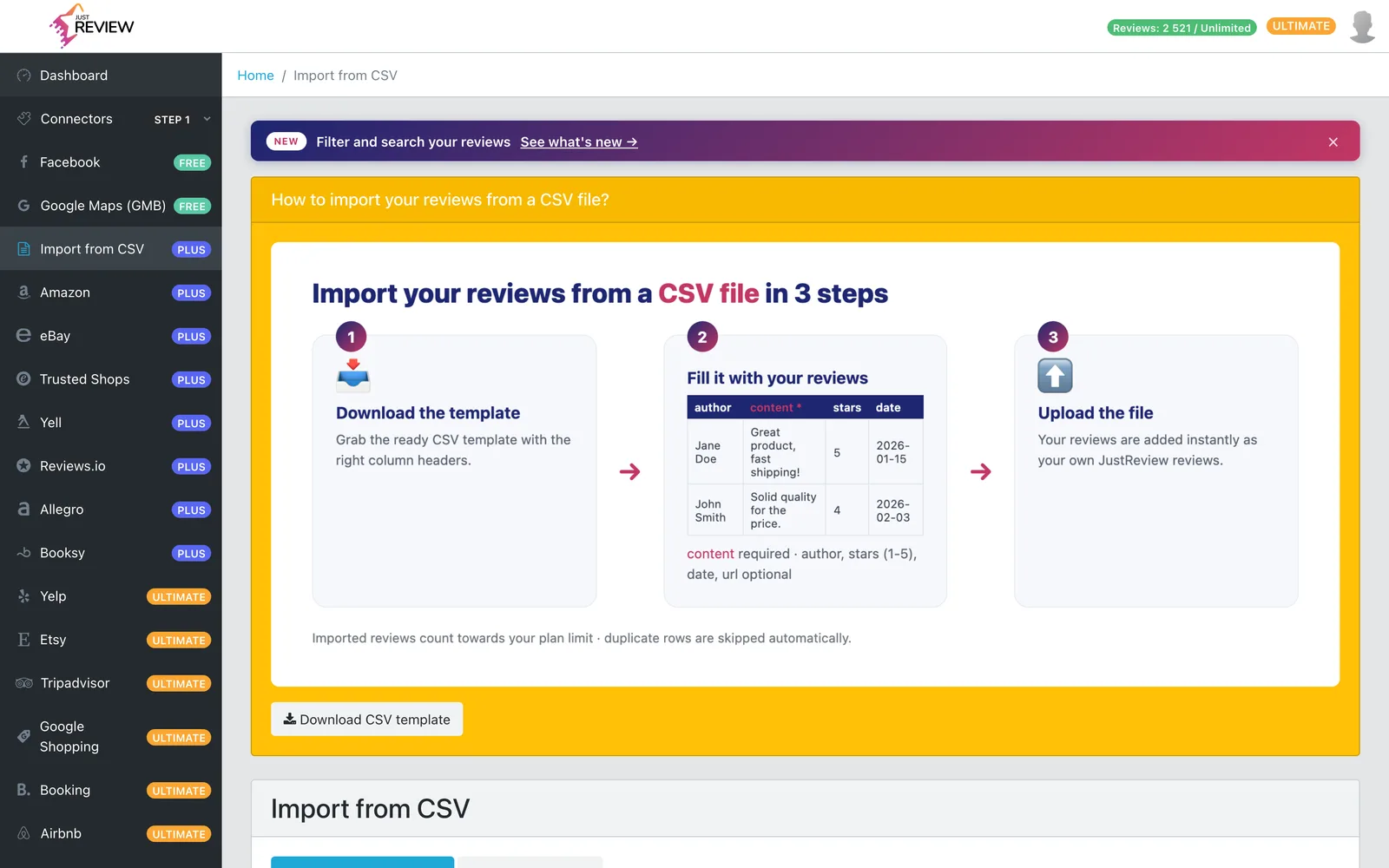
Open Connectors and choose CSV import.
-
Upload your file.
-
Check the result. You get back how many reviews were imported and how many skipped.
Things worth knowing before you import
Imported reviews count towards your plan limit. If the file is larger than your remaining room, we import what fits and tell you the limit was reached.
Maximum 20 000 rows per file, and 5 MB per file. Whichever you hit first, split the file. A very large export can exceed 5 MB well below 20 000 rows.
Imported reviews are attributed to JustReview, not to Google, Facebook or any other platform. We will not label your own data as coming from a source it did not come from. In widgets they appear as your own collected reviews.
They are visible immediately after import.
Common problems
“CSV must have a content column”. Your text column is named something we do not recognise. Rename
it to content and re-upload.
“CSV needs a header row and at least one data row”. The file has only a header, or is empty.
Everything reported as skipped. Either the reviews are already in your account, or the text column is empty for every row. Open the file in a plain text editor and check that the text really is in the column named in the header.
Fewer reviews than the file contains. You hit your plan limit, or rows had empty text. Both are in the response.