

Show the same widget twice on one page
By default each widget type renders once per page. To show two Testimonials blocks with different settings, or the same Summary in two places, give each copy its own CSS class and pass that class to the init function.
-
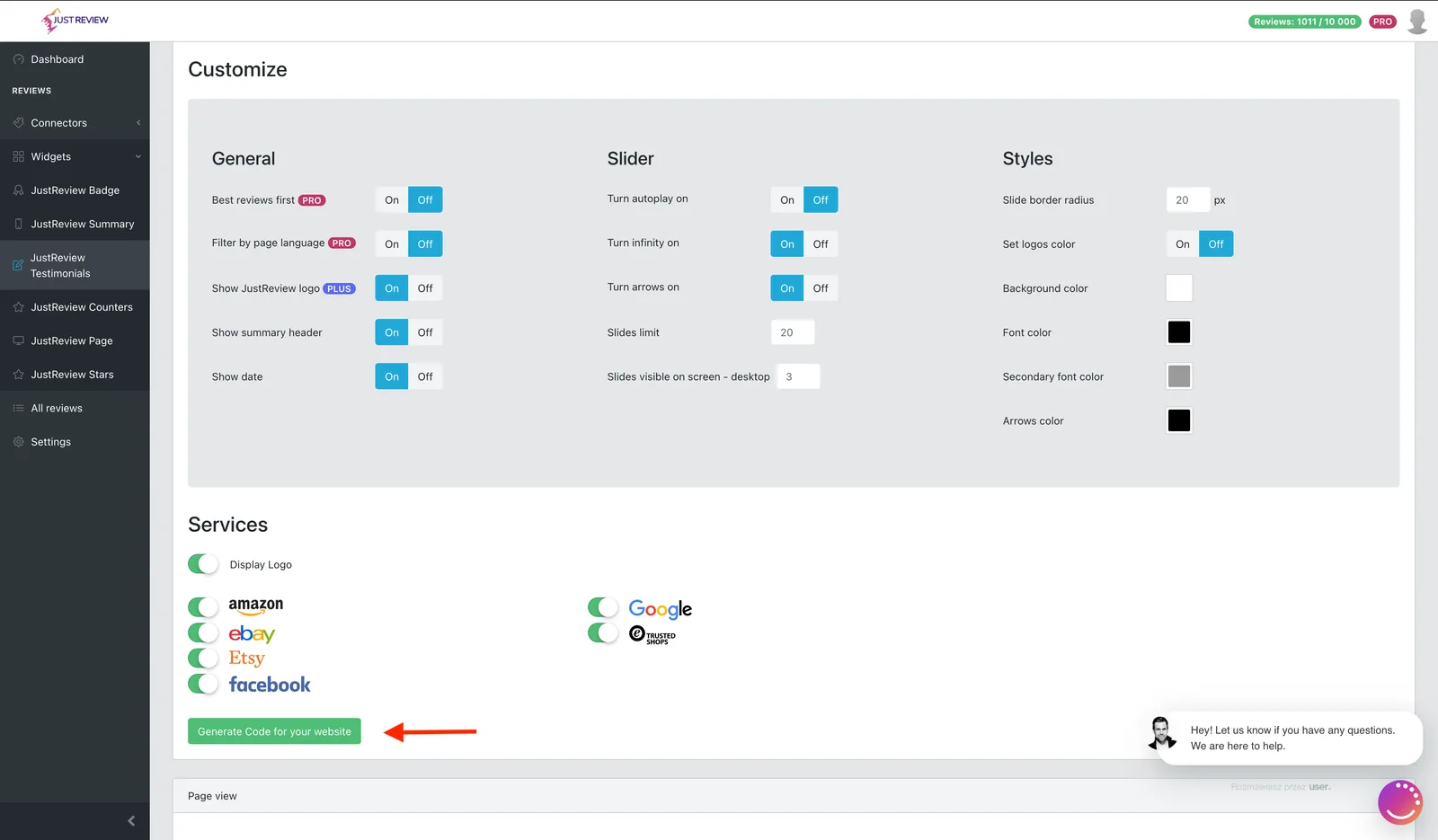
Build the first widget and click “Generate Code for your website”.
-
Give the container a class of your choice and pass the same class to the function.
The class name is the third argument. It is what tells JustReview which container to fill, so every copy needs a different class.
<!-- first copy --><div class="reviews-home"></div><script>initTestimonials("YOUR_USER_ID", { /* settings for copy 1 */ }, "reviews-home");</script><!-- second copy, different class, different settings --><div class="reviews-footer"></div><script>initTestimonials("YOUR_USER_ID", { /* settings for copy 2 */ }, "reviews-footer");</script>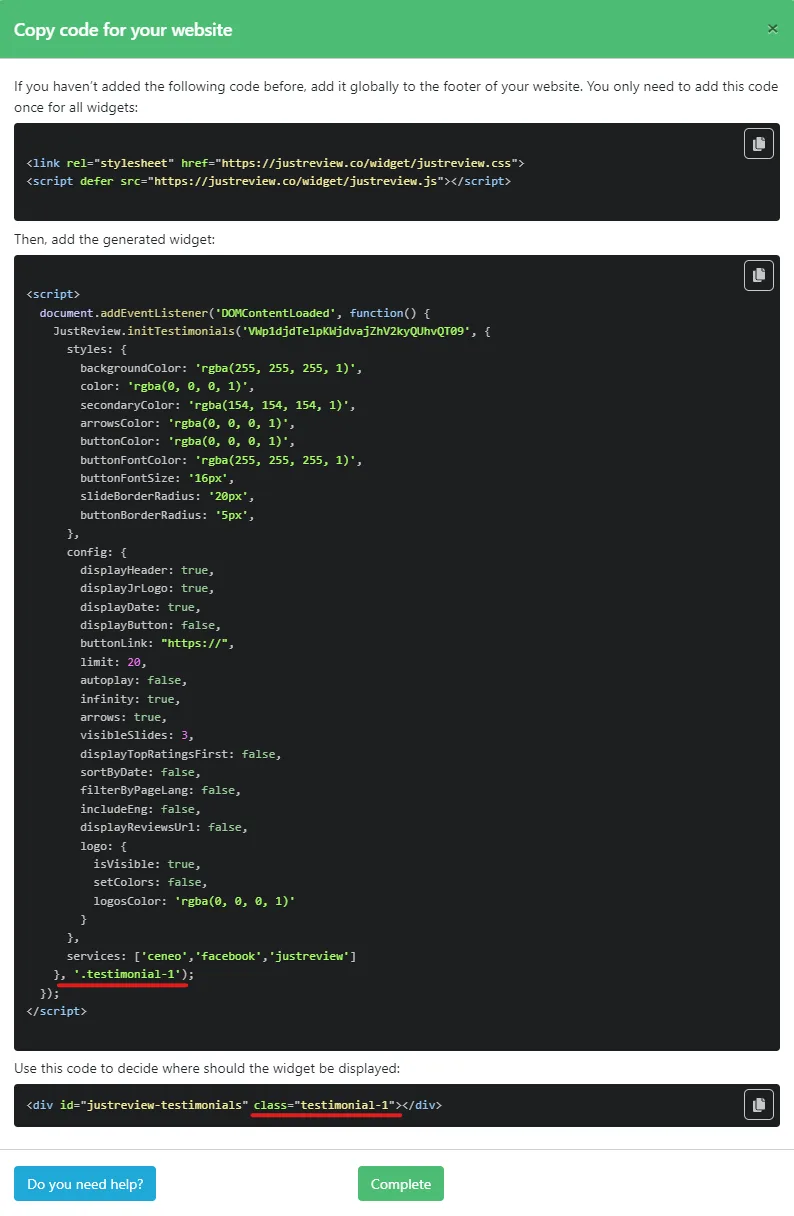
Common mistakes
- Same class on both copies. Both init calls target the first match, so you see one widget or a duplicate of the same one.
- Class passed only to the
<div>, not to the function. Without the third argument the widget looks for its default container and ignores your class. - Class name mismatch, for example
reviews-homein the HTML andreviews_homein the script. The names must be identical.