
Cancelling your subscription and refunds
How to cancel
-
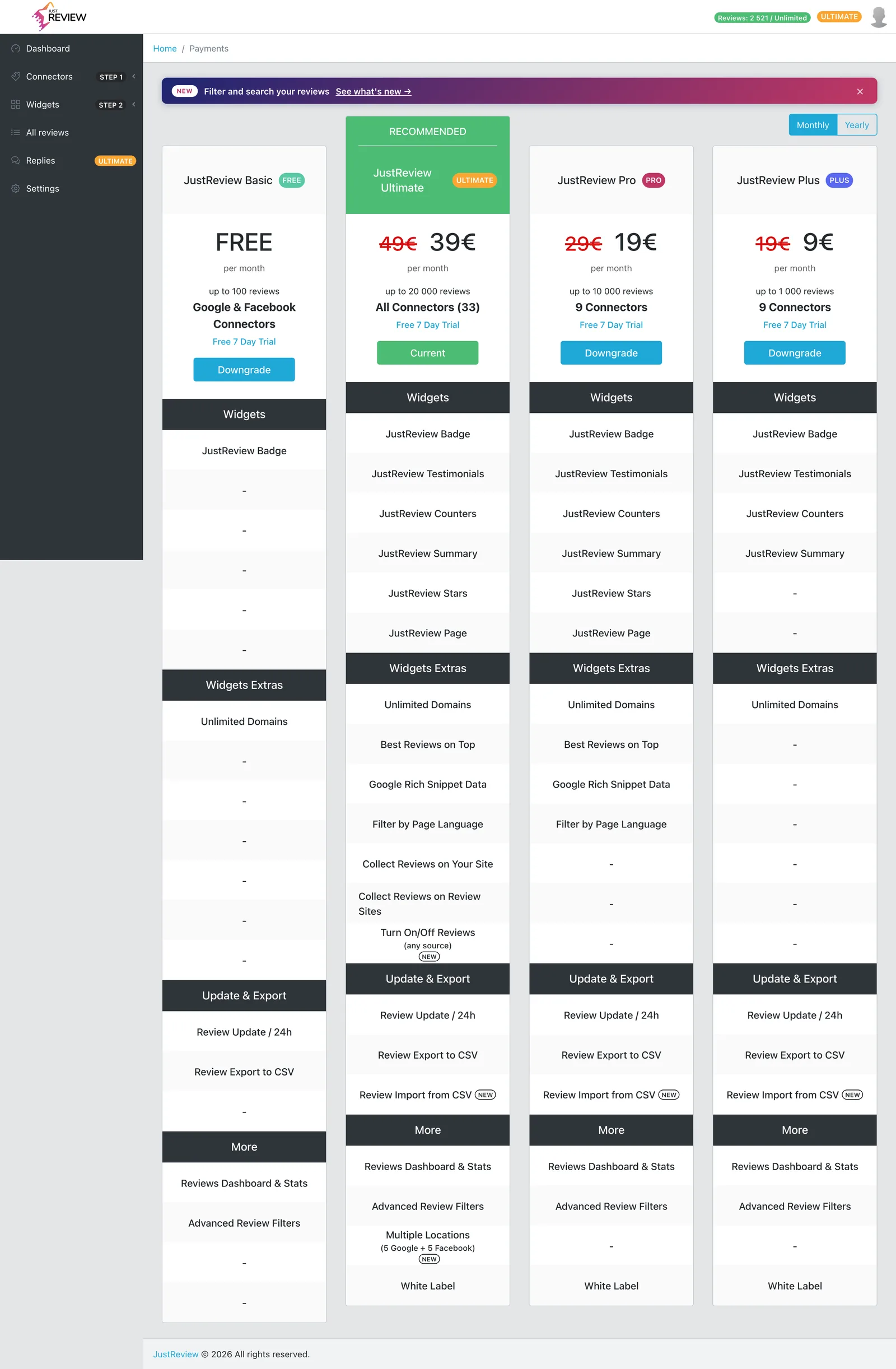
Open Payments in your dashboard.
-
Choose to cancel your subscription there.
-
You will receive a confirmation from our payment provider by email. Keep it, it is your proof of the cancellation date.
If the cancel option does not work for you, write to [email protected] from the email address on your account and we will cancel it from our side. You do not need to keep asking or dispute the charge with your bank, one message is enough and we act on it.
What happens after cancelling
- Your widgets stop displaying reviews once the paid period ends, so the widget disappears from your website. Remove the snippet from your site if you do not want an empty space.
- Your reviews are not deleted immediately. Your account stays, downgraded, so you can come back without importing everything again.
- Sources beyond Google and Facebook stop importing, since they need a paid plan.
Refunds
Cancelling stops future charges. It does not automatically refund the period you already paid for, and there is no automatic pro-rata refund.
If you were charged for a period you do not want to use, write to [email protected] with your account email and the charge date, and ask for a refund. We handle these individually rather than by a rigid rule, and we would rather sort it out directly than have you raise a chargeback, which costs both sides more.
Deleting your account entirely
Cancelling is not the same as deletion. You can delete the account yourself in Settings, no e-mail needed - see Changing your e-mail and deleting your account for the exact steps. On a monthly Plus, Pro or Ultimate subscription that screen also offers you a free month, so it is worth looking at before you go. Remember to take the JustReview snippet off your website as well.