
Email, password and deleting your account
Changing the account email
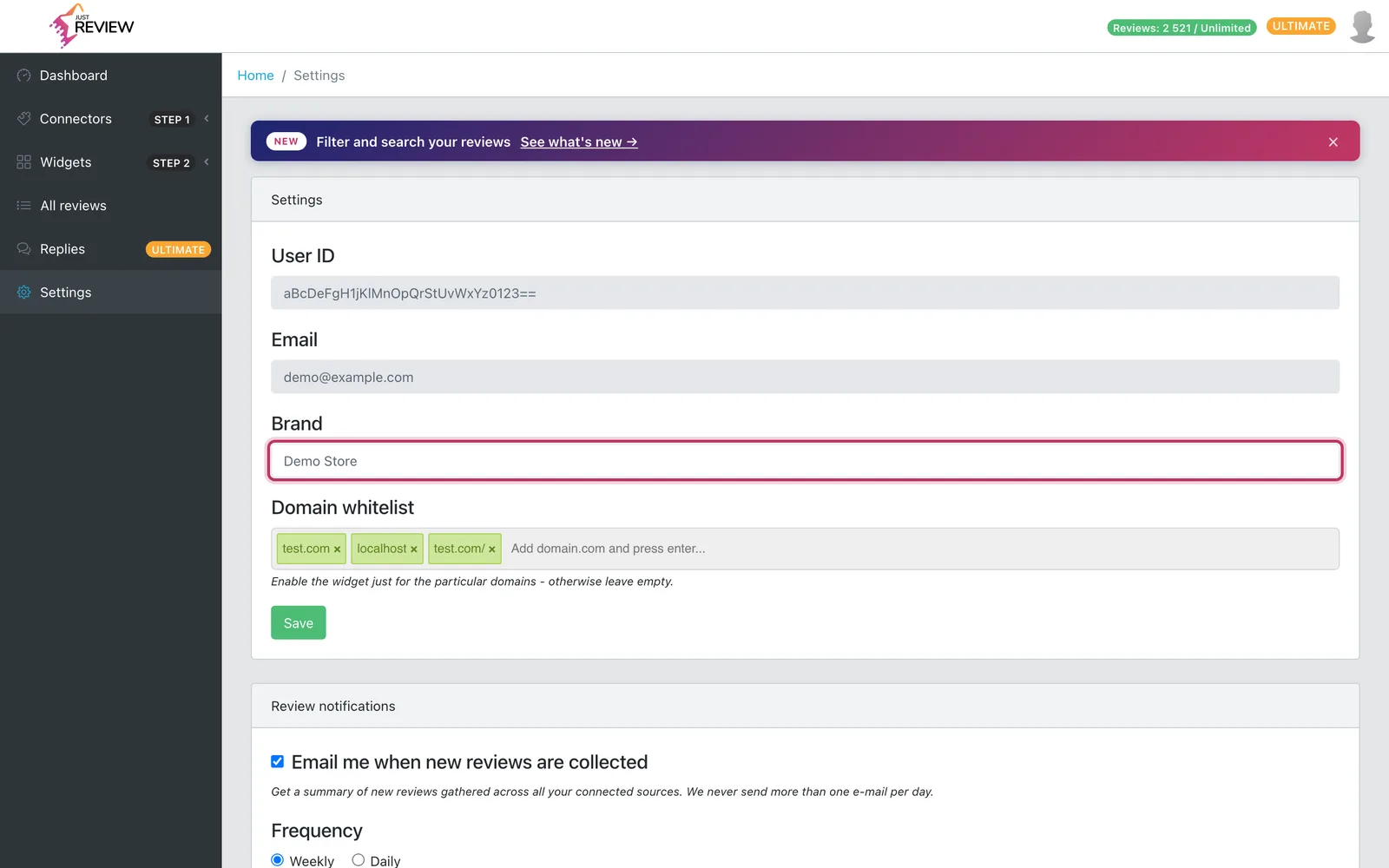
The email field in Settings is read-only on purpose. It is your login and it ties your account to your billing, so changing it by yourself could separate you from your subscription or lock you out.
To change it, write to [email protected] from the current account address and give us the new one. If you no longer have access to the old mailbox, tell us and we will confirm your identity another way, for example against your billing details.
Typical reasons this comes up, all fine with us:
- the business changed domain,
- the account was created by an agency or a former employee and needs handing over,
- you signed up with a personal address and want a company one.
Changing your password
This one you do yourself, in the Password card at the bottom of Settings. No need to write to us.
-
Enter your current password, then the new one twice.
-
The new password must be at least 8 characters, different from the current one, and it cannot be your email address.
-
Press Change password.
You stay signed in in the browser you are using, and every other device is signed out. The panel tells you how many sessions it closed. In the rare case where we cannot tell which session is yours, we close all of them, including this one, say so, and sign you out.
If you cannot get in at all, use the reset link on the login screen instead. When the reset email does not arrive, see password reset email is not arriving.
Handing the account over to someone else
Same route as the email change: write to us. Do not create a second account and reconnect everything, because your reviews, widget settings and the snippet already on your website all belong to the first account. A new account starts empty and the widget on your site keeps pointing at the old one.
Deleting your account
You can do this yourself, without waiting for us. Open Settings, go to the Delete account card at the bottom and press Delete account. The dialog has two steps on purpose: the first shows what you are about to lose, the second asks for your password.
Two things worth doing before you start:
-
Export your reviews if you want to keep them. Once the account is gone, so is the data. The export is in All reviews.
-
Remove the JustReview snippet from your website. After deletion the widget has nothing to load, so leaving the code behind means an empty space and a pointless request on every page view.
Step one: what you are about to lose
The first screen is not a generic warning, it reads your actual account: which address is being deleted, how many collected reviews stop being served, and how many connected sources get disconnected. Your login email is released and anonymised.
If you are on a paid plan, this screen is also where you learn that the subscription is cancelled immediately and the current period is not refunded. If you would rather use up the time you have already paid for, cancel now and come back to delete at the end of the period. See cancelling and refunds.
Step two: confirmation
The second screen asks for your password, a tick confirming you understand the removal is permanent, and optionally what made you leave. Then Delete my account permanently does it, and you are signed out.
Two cases where the panel deliberately stops instead: administrator accounts cannot be deleted this way, and if your subscription cannot be cancelled automatically we abort before removing anything and ask you to contact support. Nothing is left half-deleted.
What deletion removes
Your sign-in details are anonymised, your connected sources and their access tokens are deleted, and the reviews collected under the account stop being served anywhere. Every widget you have embedded on your website stops working, and the account can no longer be logged into.
What it does not touch: the reviews on Google, Facebook or any other platform. Those belong to the platform and to the people who wrote them. Deleting your JustReview account has no effect there, which also means you can come back later and reconnect.
Your data and GDPR
If you need a data export, deletion confirmation, or a data processing agreement for your own compliance records, write to [email protected] and say what you need. Where the review data comes from and on what basis is explained in where our reviews come from.
Cancelling versus deleting
They are not the same thing:
- Cancelling stops the charges. Your account stays, downgraded, and your reviews stay with it, so you can return without importing everything again. See cancelling and refunds.
- Deleting removes the account and its data. There is no undo.
If you are unsure, cancel. It is reversible.