

Install the widget on Shopify
This guide uses the JustReview Testimonials widget as the example. Every other widget works the same way.
-
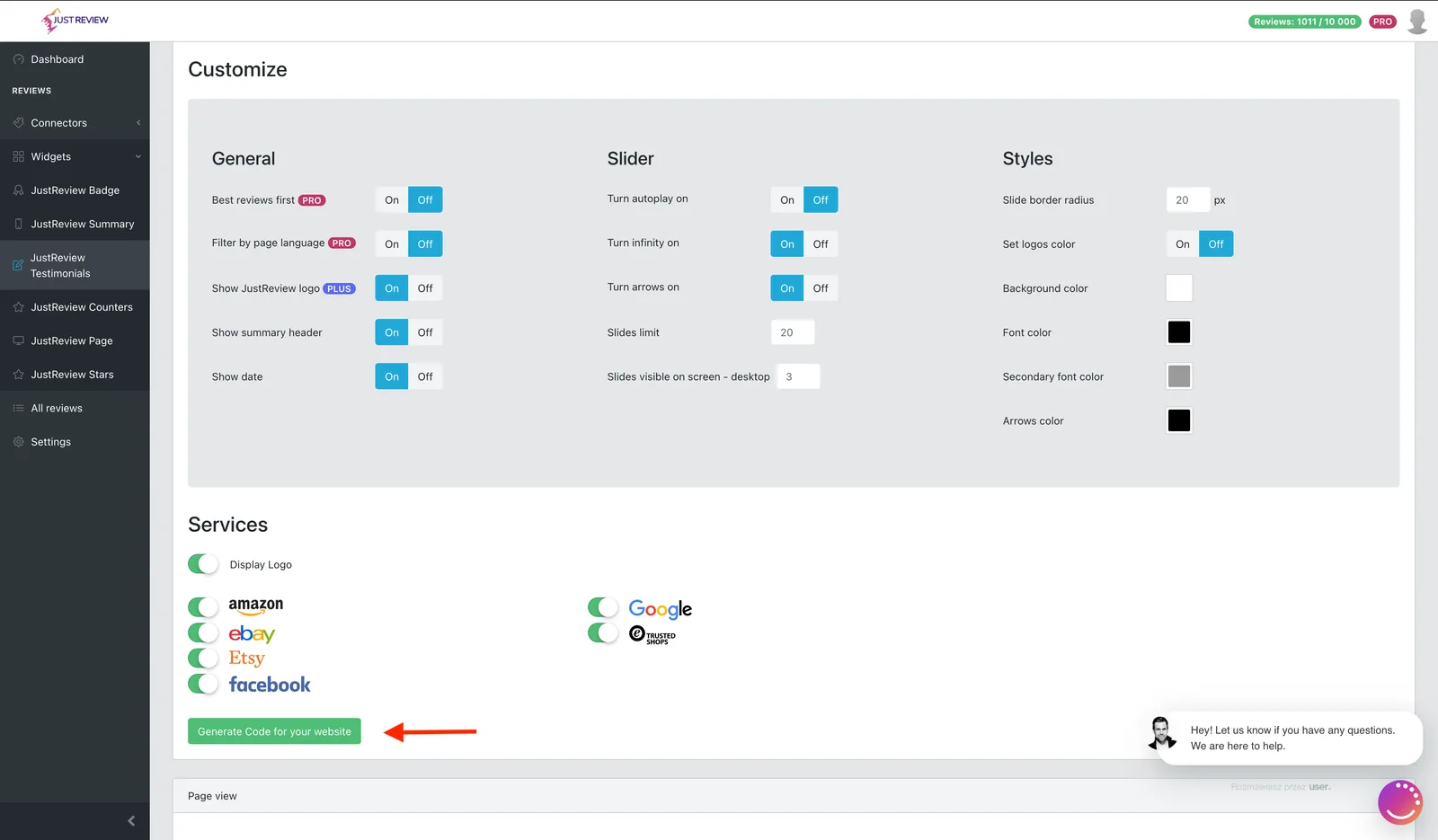
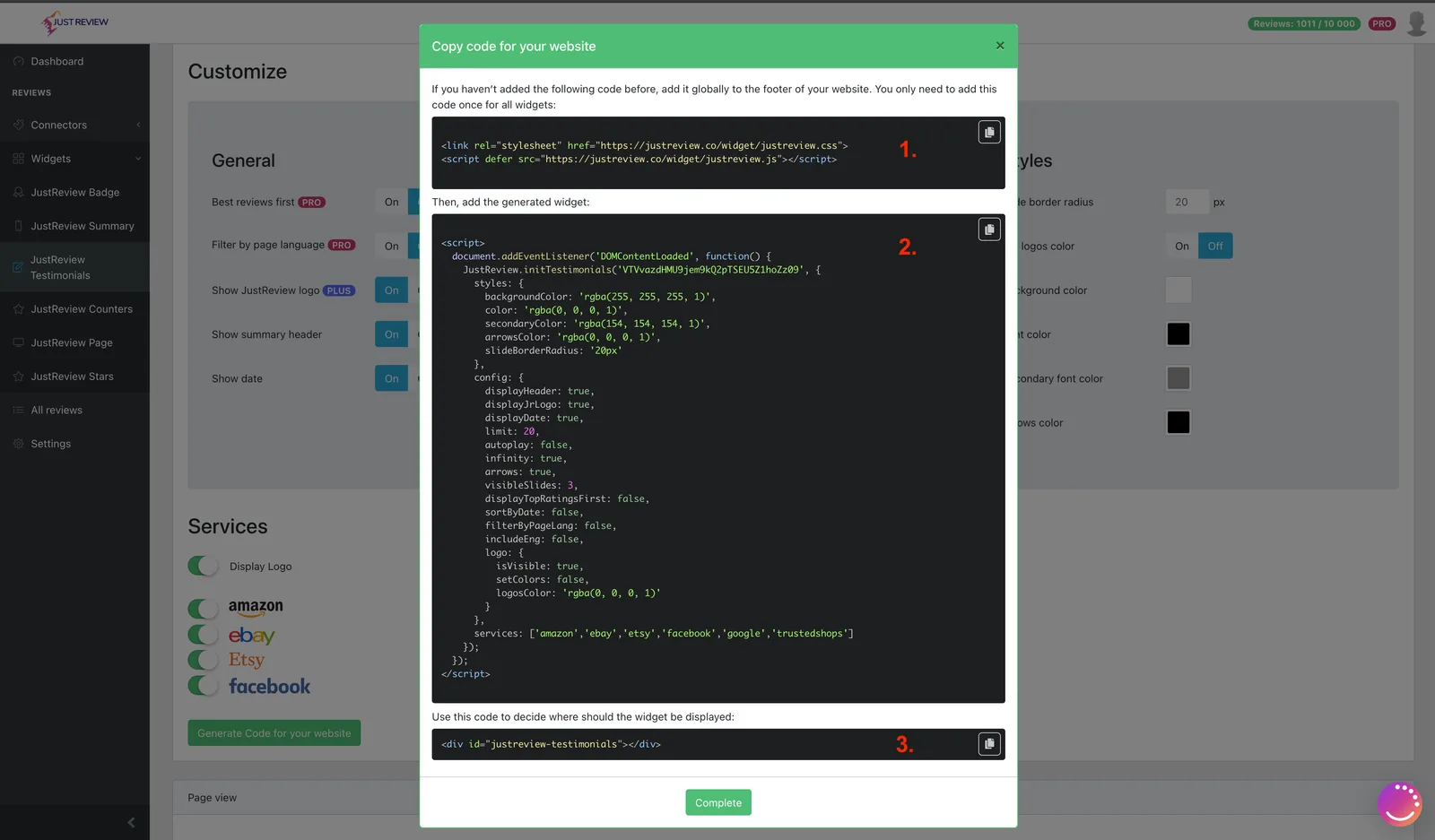
Build your widget and click “Generate Code for your website”.
-
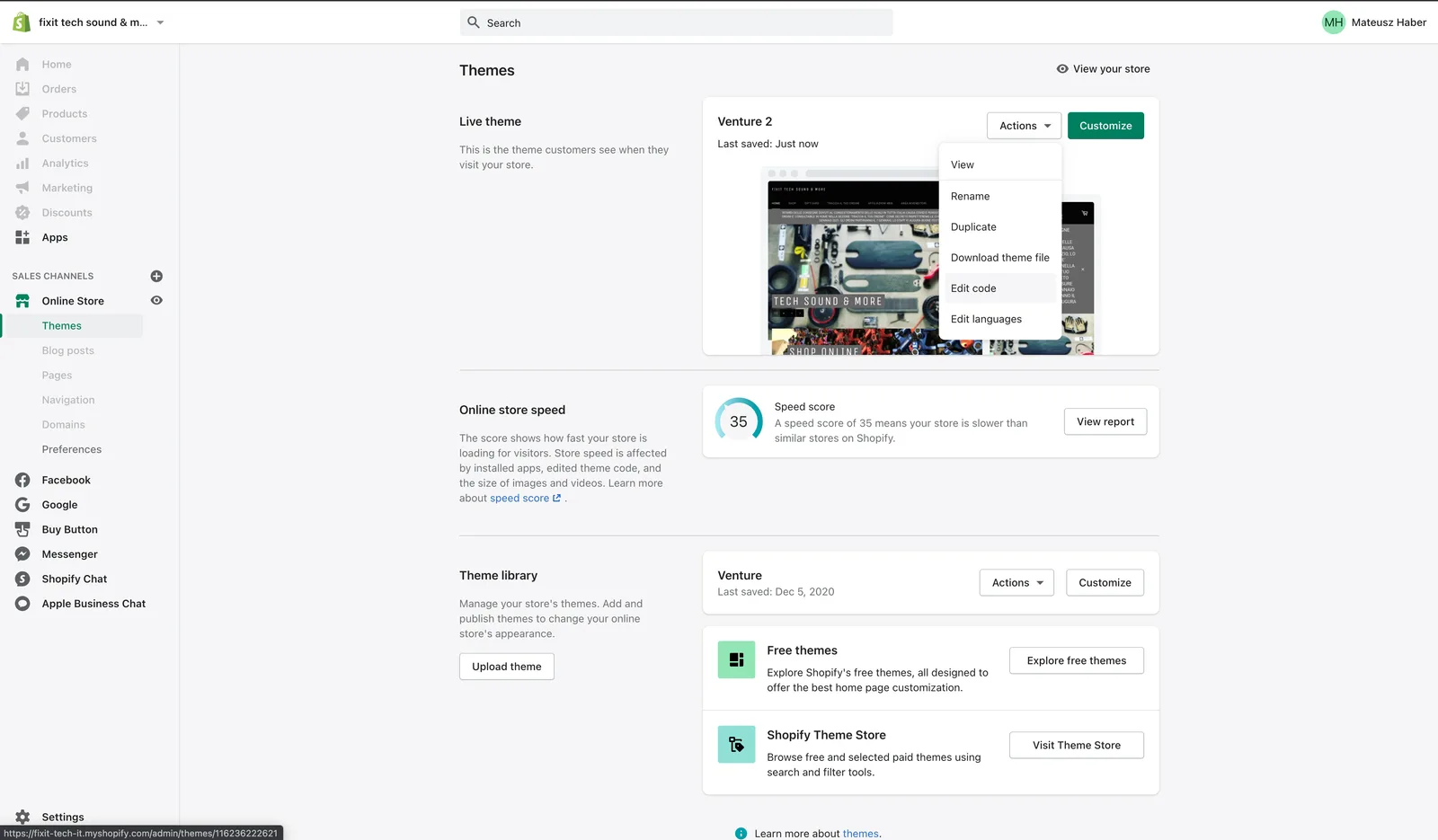
Open Online Store → Themes → Edit code.
-
Edit
theme.liquidand paste part 1 and part 2 before the closing</body>tag.Part 1 loads the library and belongs on the page only once, even with several widgets. Part 2 is the configuration for one widget, so add one part 2 per widget.
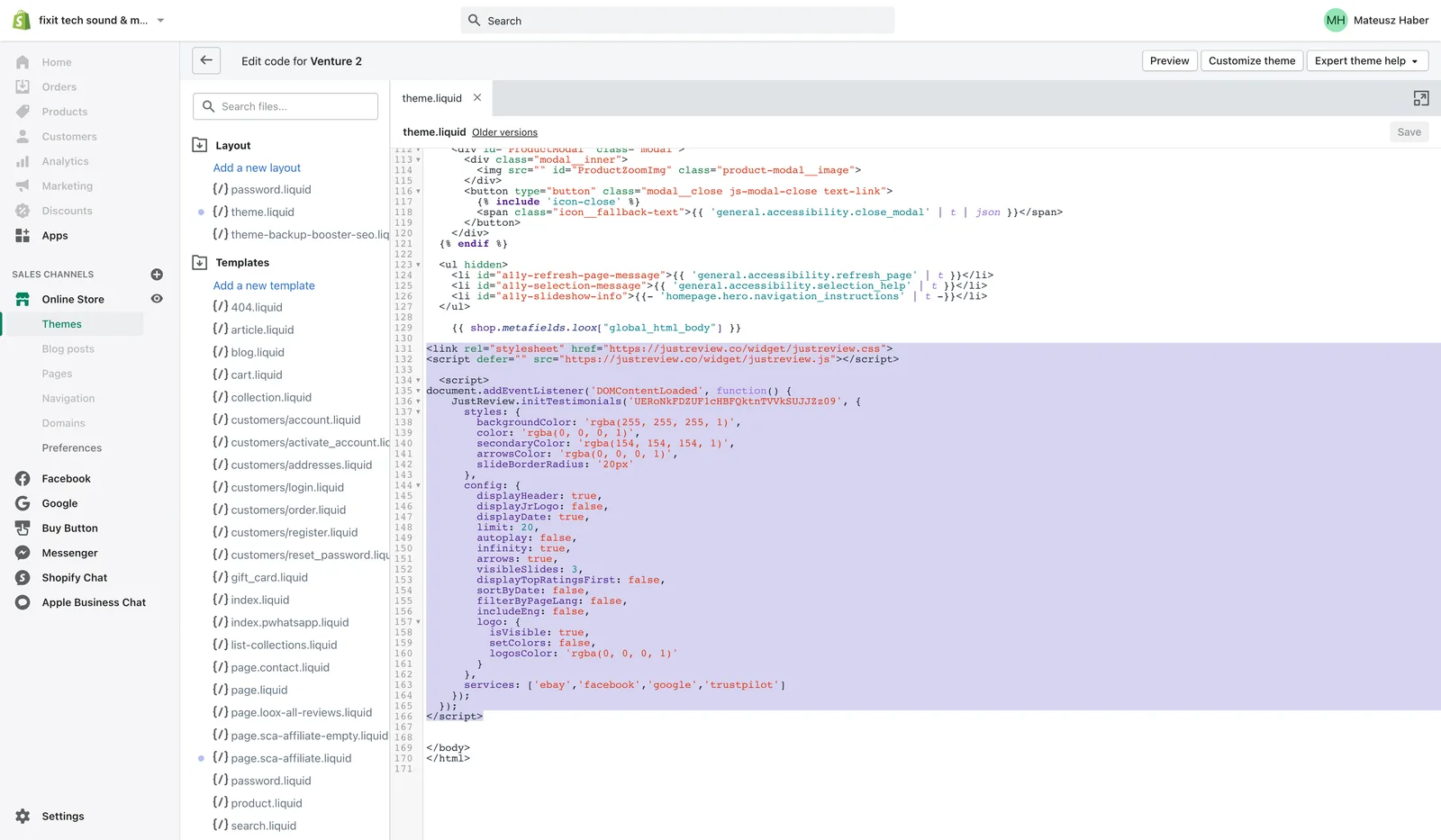
Save the file.
-
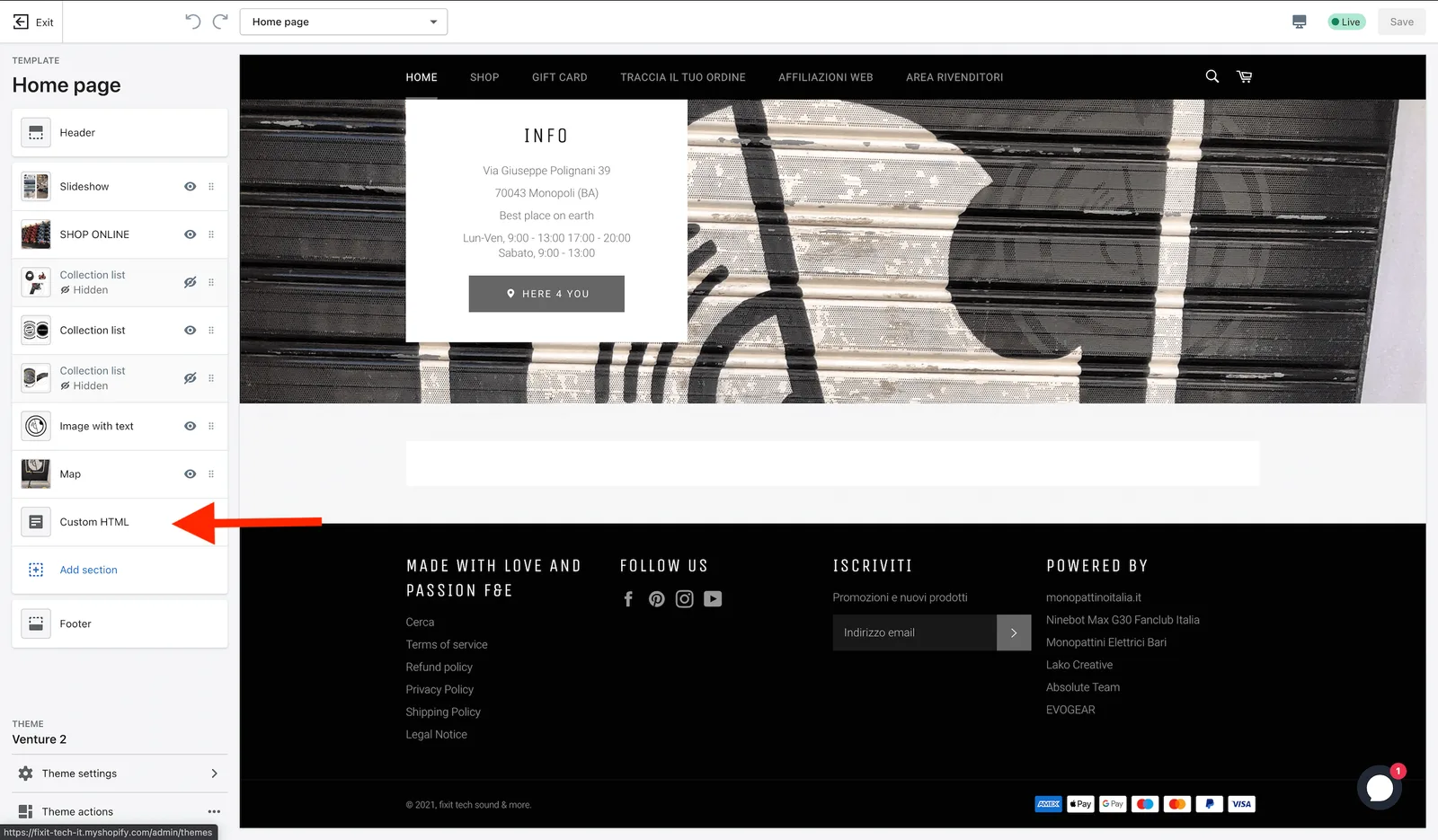
Go back to Themes and click Customize.
-
Add a Custom HTML section where the widget should appear.
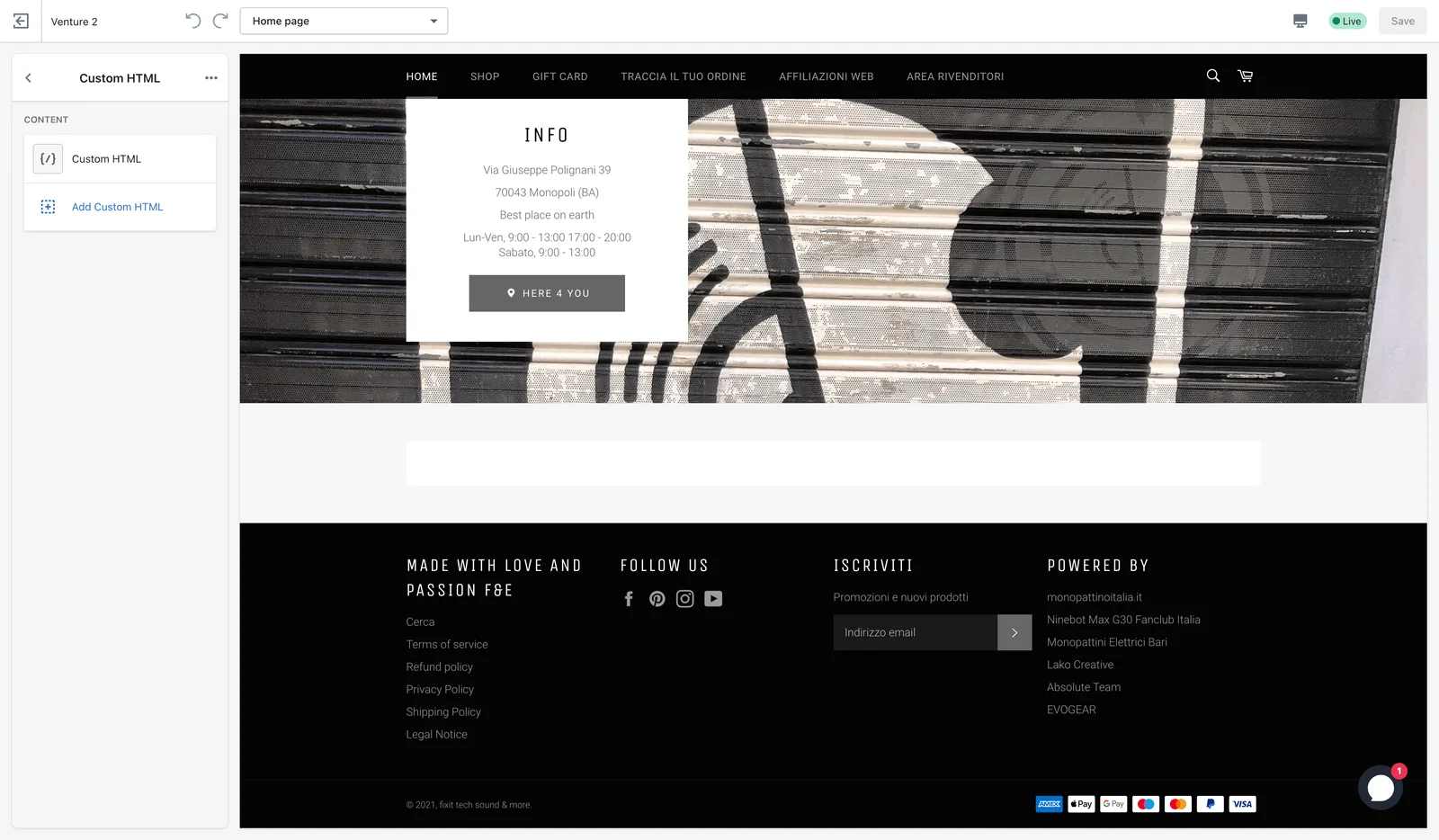
-
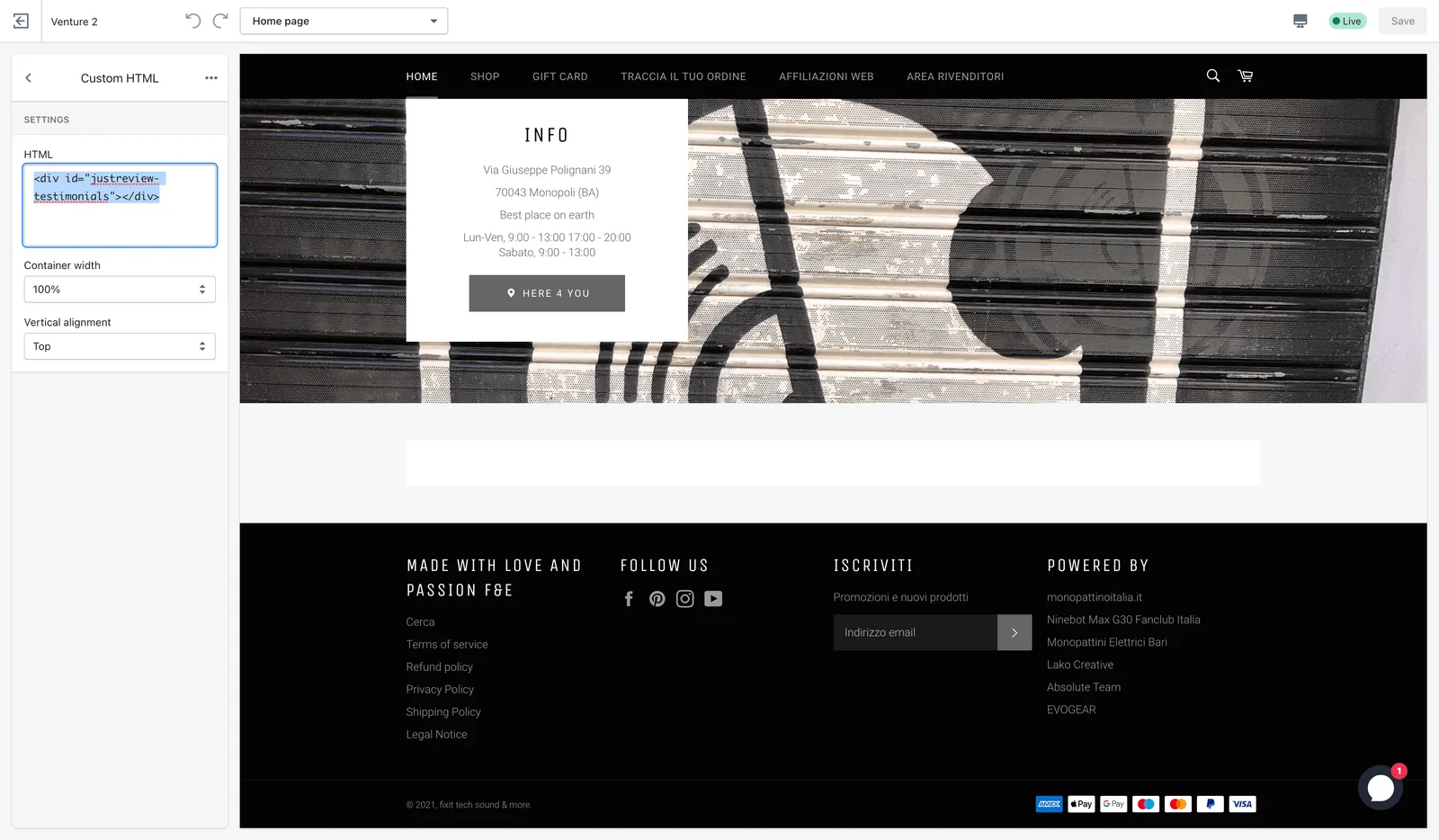
Paste part 3 into the Custom HTML box, then save.
Widget still not visible?
- Domain whitelist in Settings matches your store
address. Check whether customers reach you on
yourstore.myshopify.comor a custom domain, and whitelist the one they actually use. - Part 3 is present on the page you are looking at. Sections are per-template in Shopify, so adding it to the home page does not put it on product pages.
- Part 1 appears exactly once in
theme.liquid. - The Badge widget needs at least one review before it shows anything.