

Install the widget on Squarespace
This guide uses the JustReview Testimonials widget as the example. Every other widget works the same way.
-
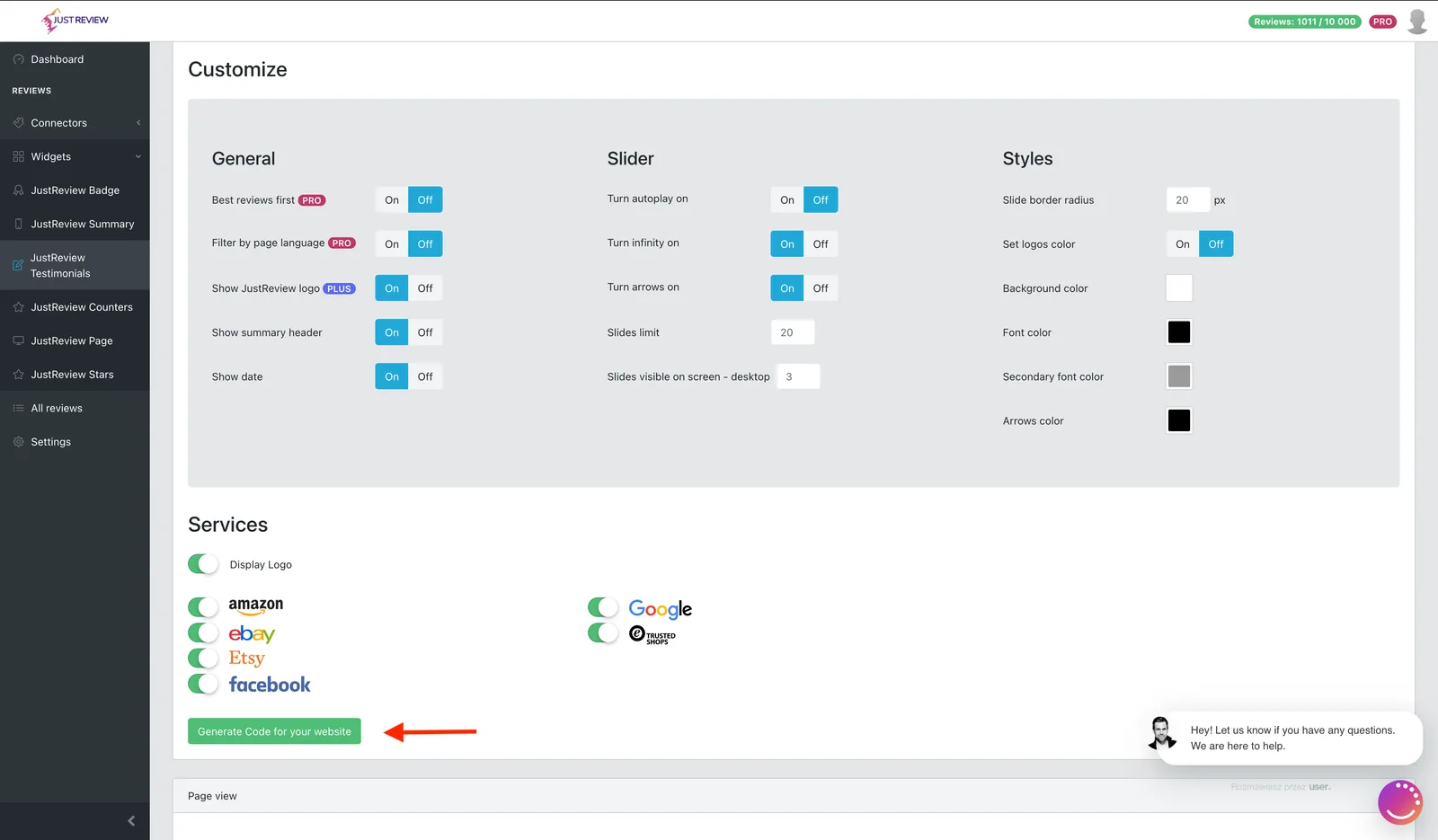
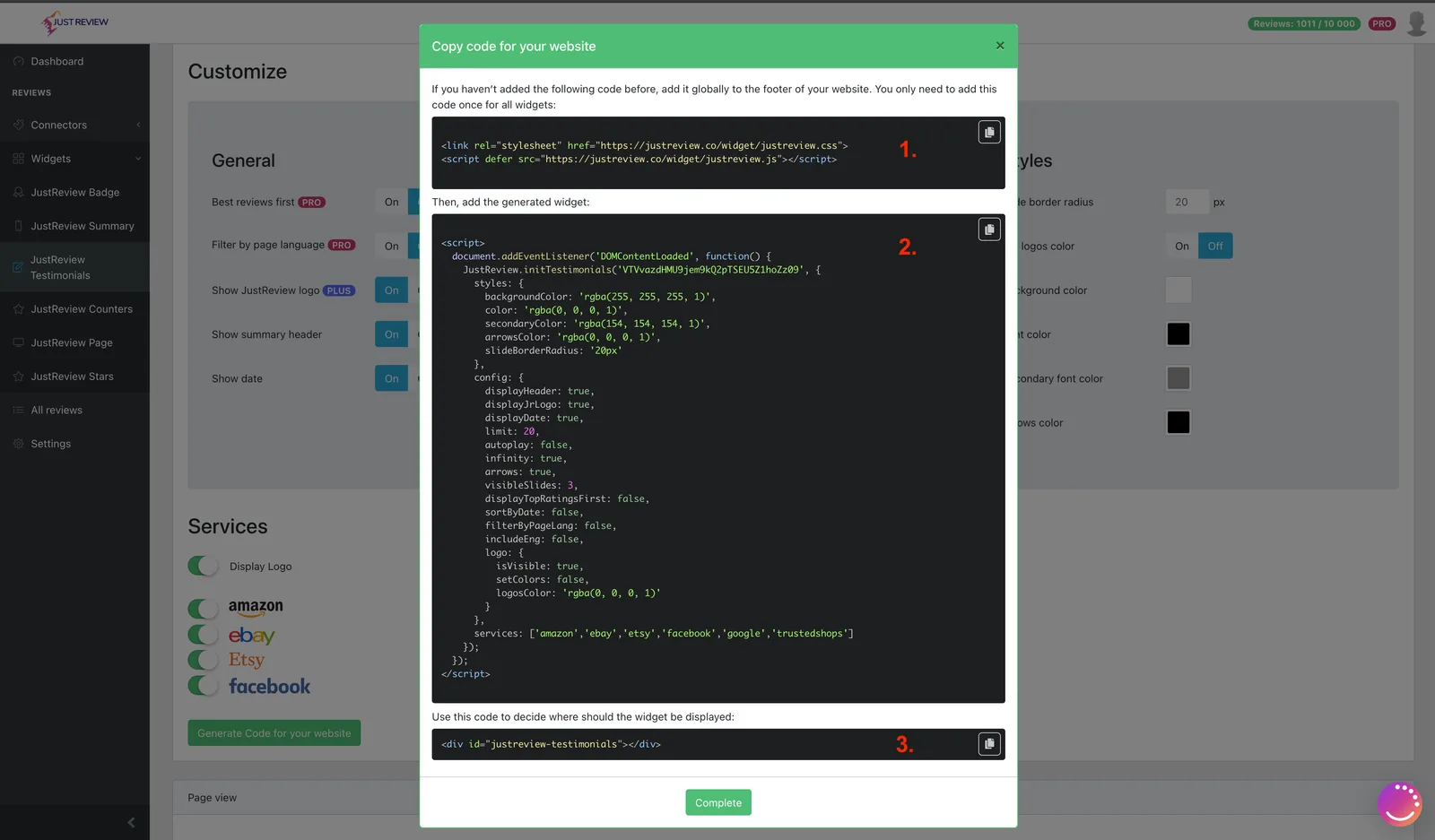
Build your widget and click “Generate Code for your website”.
-
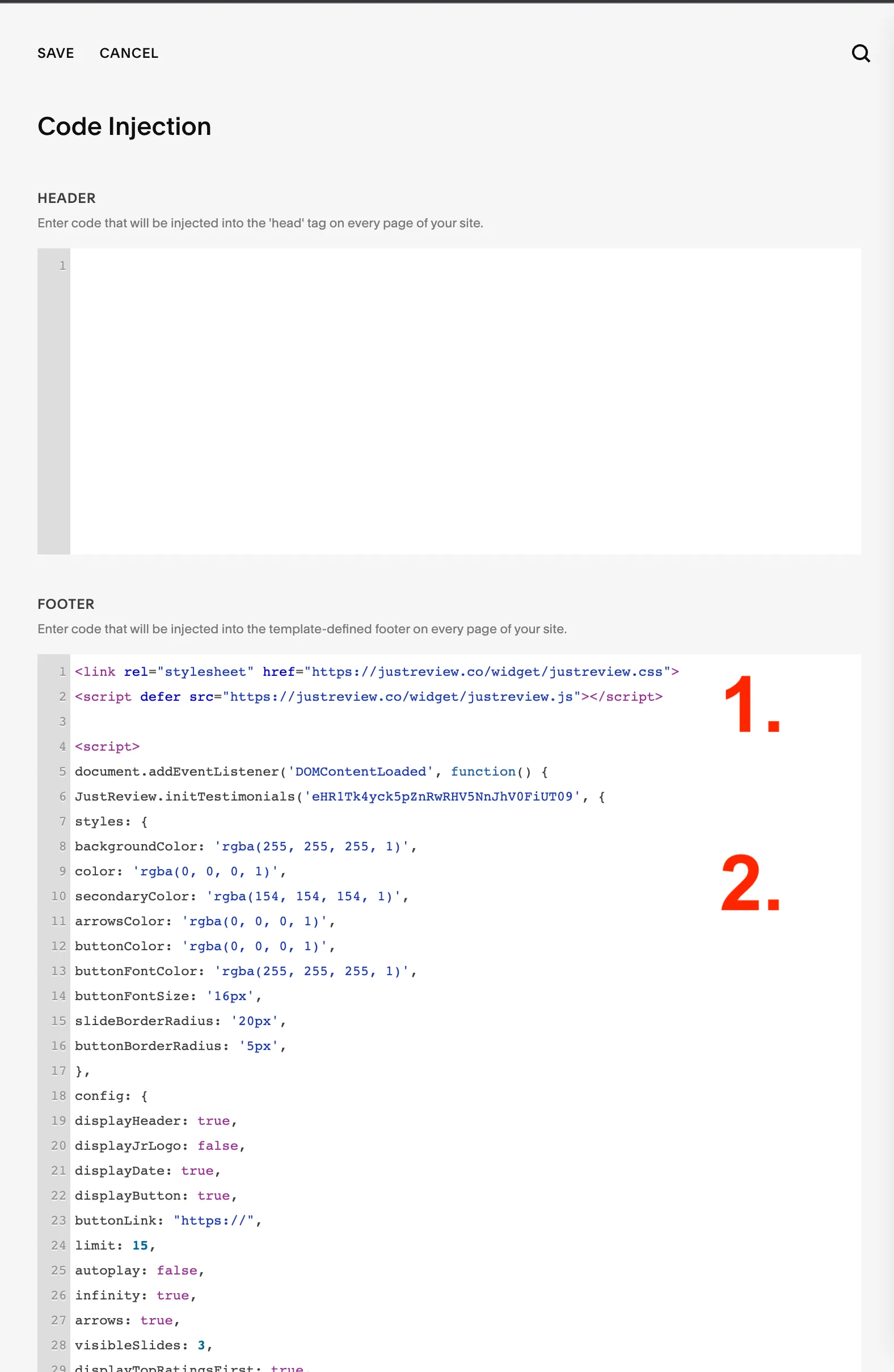
Go to Settings → Advanced → Code Injection.
-
Paste part 1 and part 2 into the Footer field.
Part 1 loads the library and belongs there only once, even with several widgets. Part 2 is the configuration for one widget, so add one part 2 per widget. Save.
-
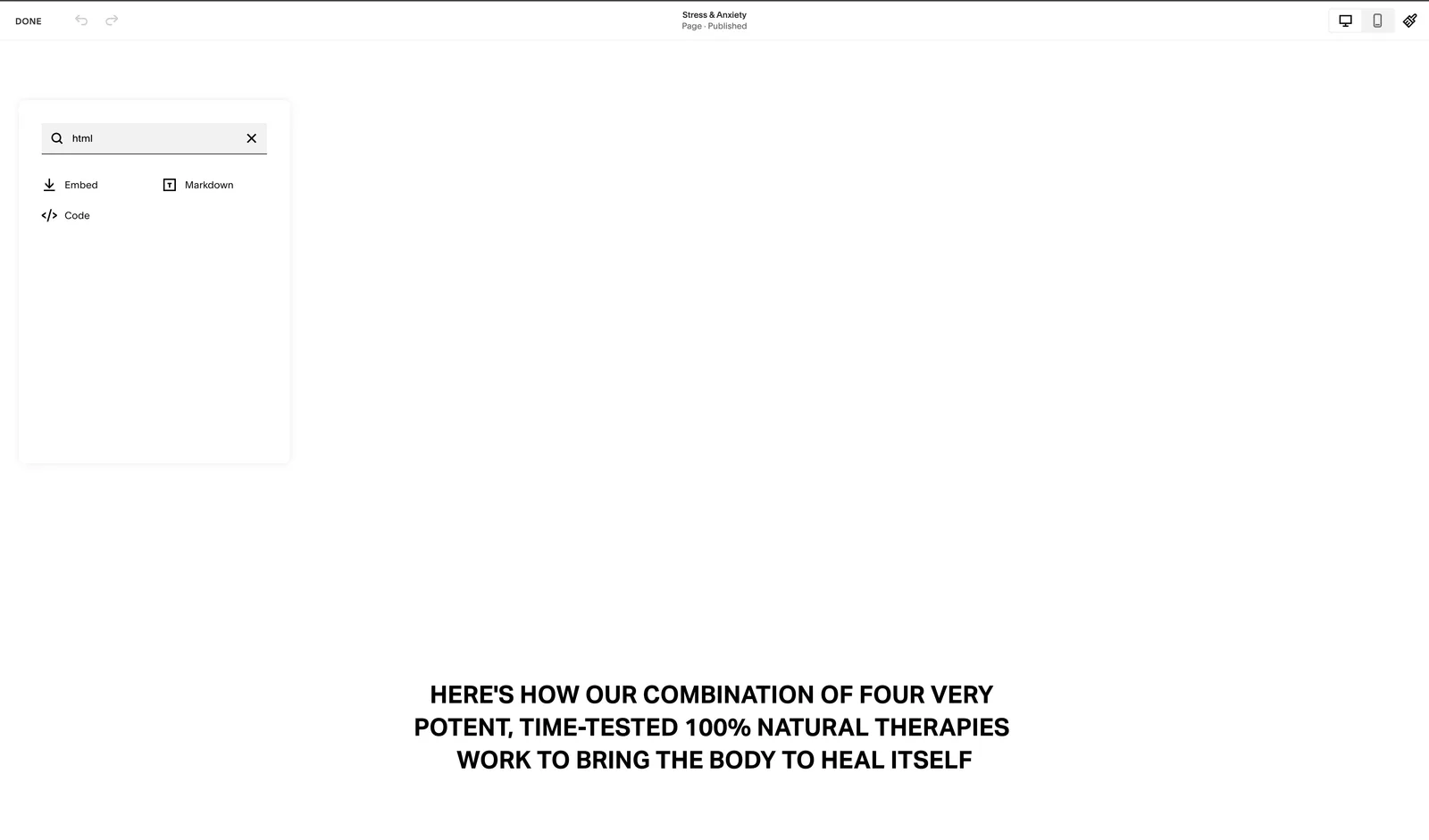
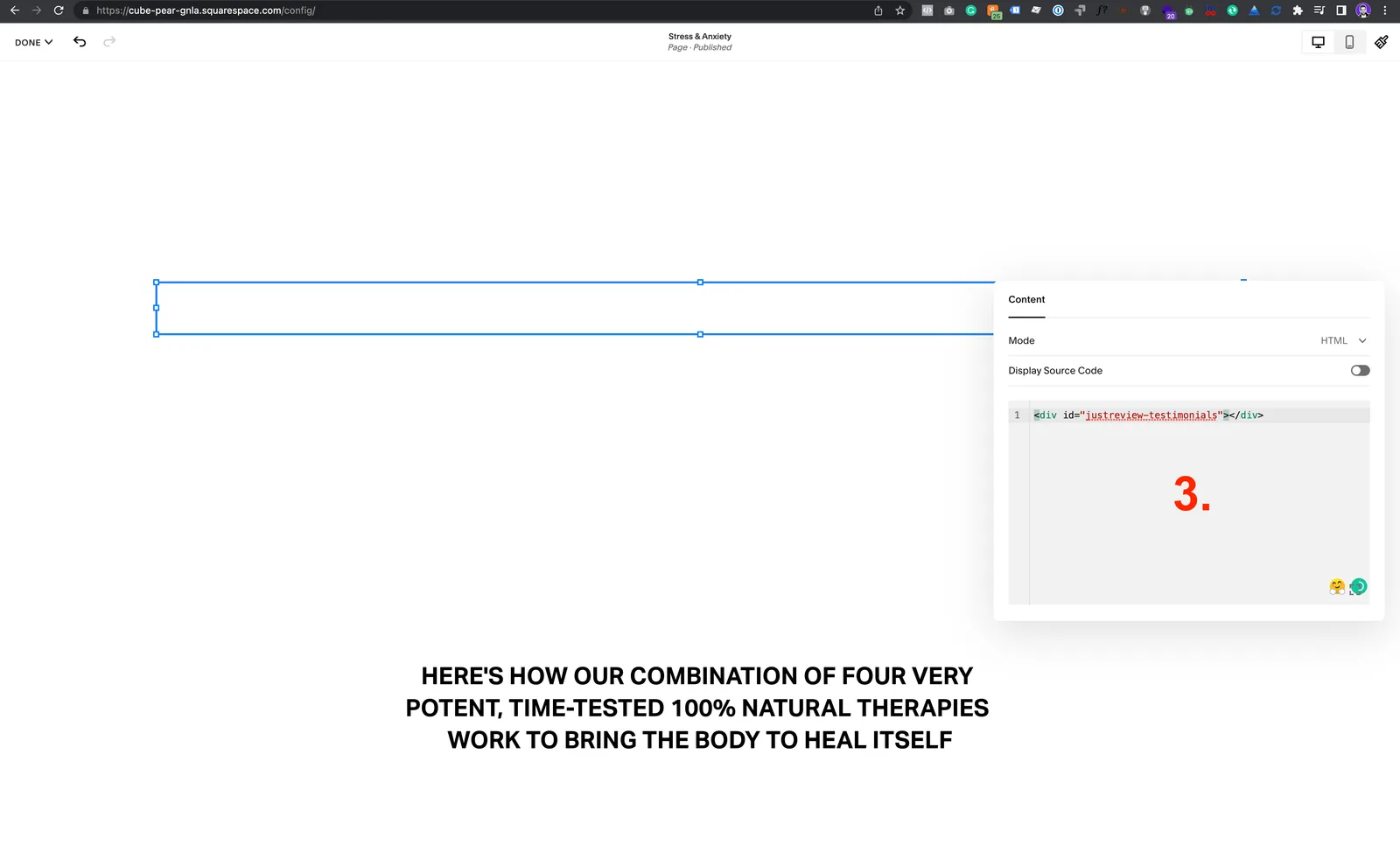
Open the page where the widget should appear and add a Code block (
</>). -
Paste part 3 into the Code block, then save.
Widget still not visible?
- Code Injection is a paid Squarespace feature. It needs a Business plan or higher. On Personal plans the Footer field is unavailable and the widget cannot load.
- Domain whitelist in Settings matches your address.
- Part 3 is present on the page you are viewing, and the Code block is not left in draft.
- The Badge widget needs at least one review before it shows anything.