

Install the widget on Shoper
This guide uses the JustReview Testimonials widget as the example. Every other widget works the same way. Shoper splits the snippet across two different places, so follow the order below.
-
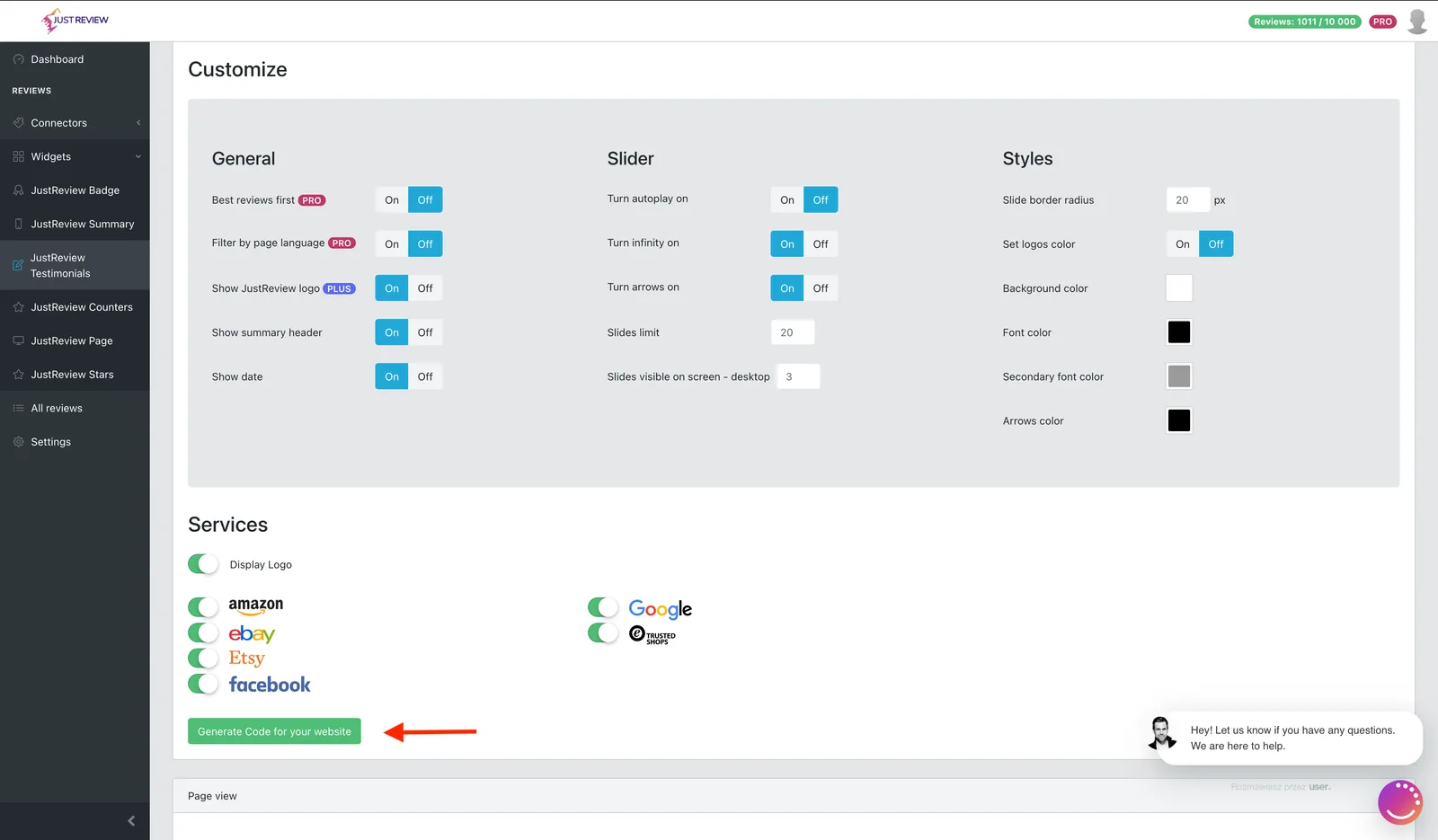
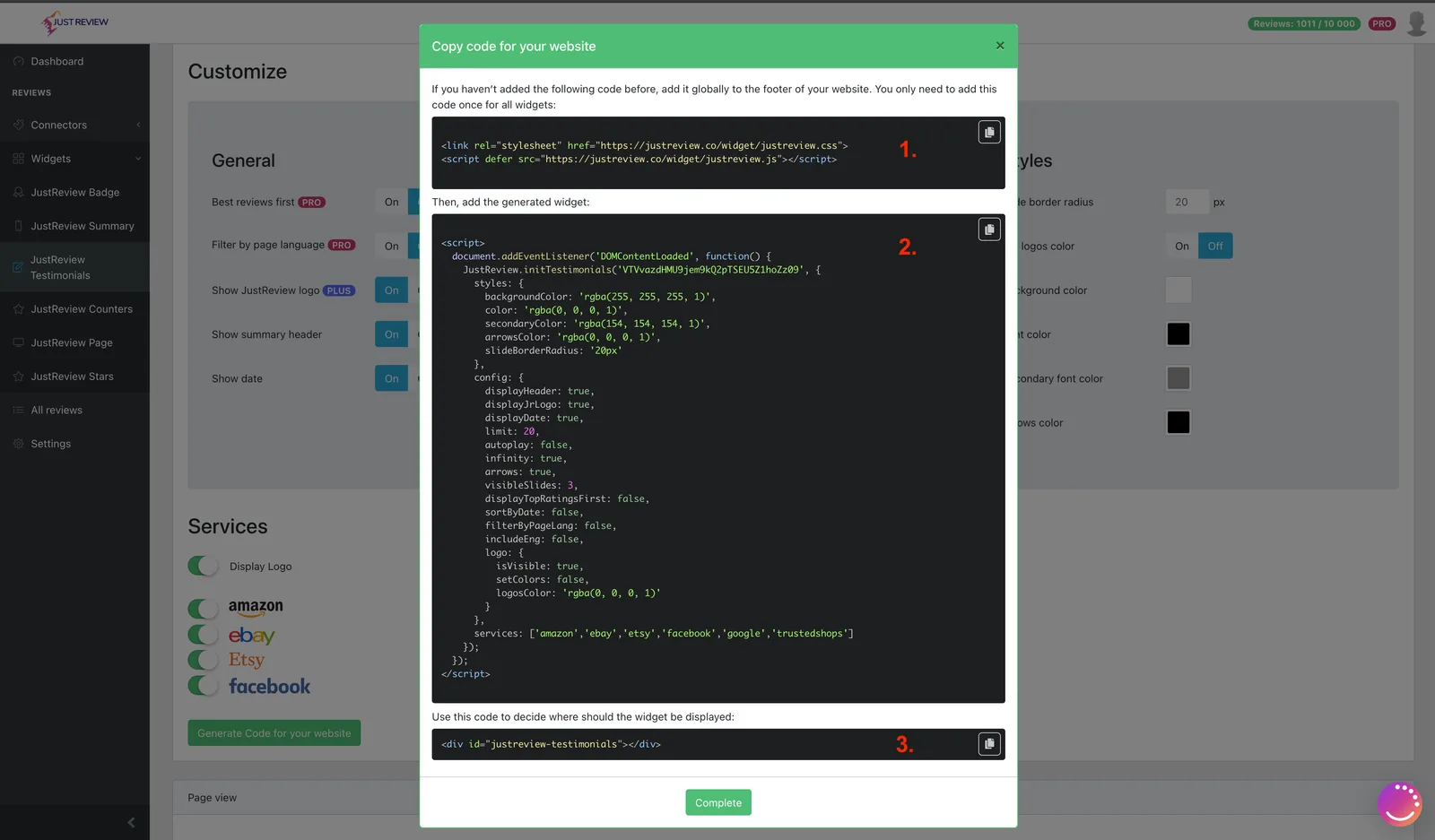
Build your widget and click “Generate Code for your website”.
-
Add part 2 to the custom JavaScript field.
Go to Wygląd i Treści → Wygląd Sklepu → Obecny Szablon Graficzny, open Własny Skrypt JS and paste part 2 at the bottom of the file.
Leave out the
<script>and</script>tags. This field already is a JavaScript file, so including the tags breaks it.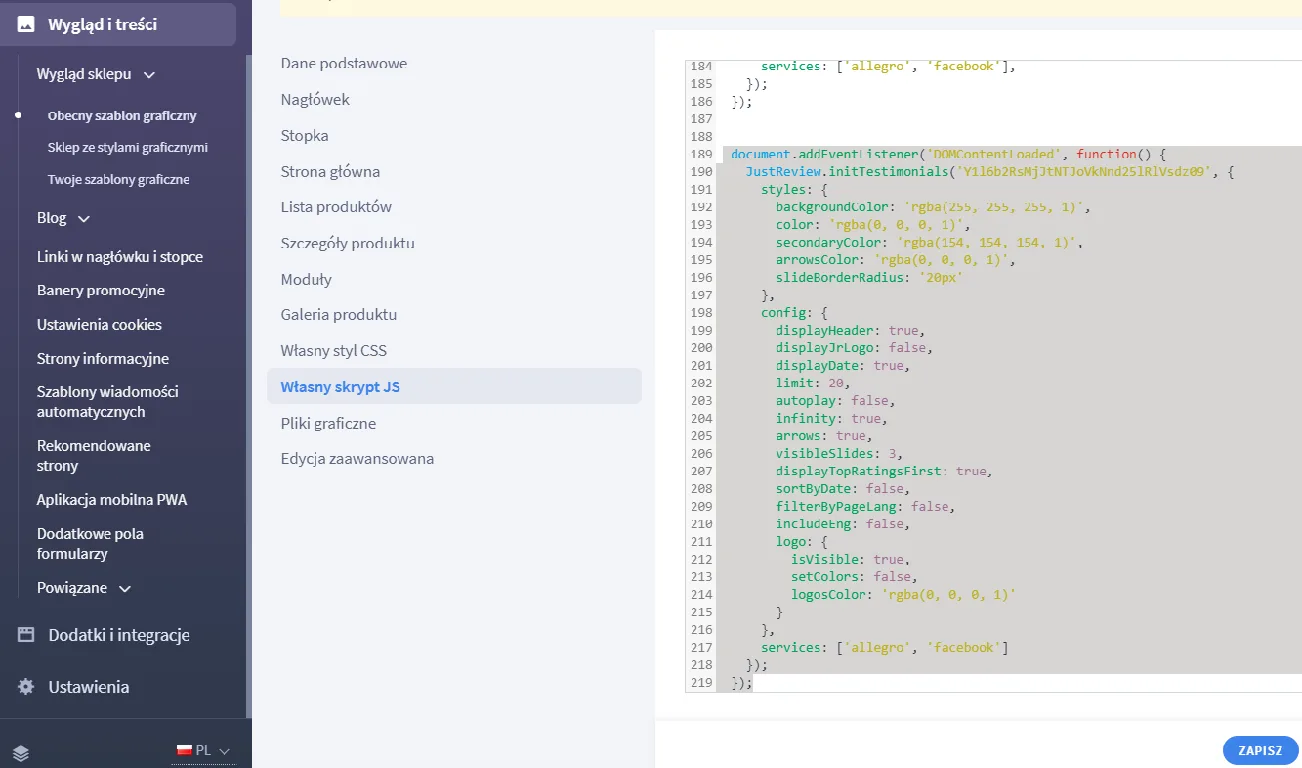
-
Add part 1 to
footer.tpl.Open Edycja zaawansowana, find
footer.tpland paste part 1. It loads the library and belongs there only once, even when you display several widgets.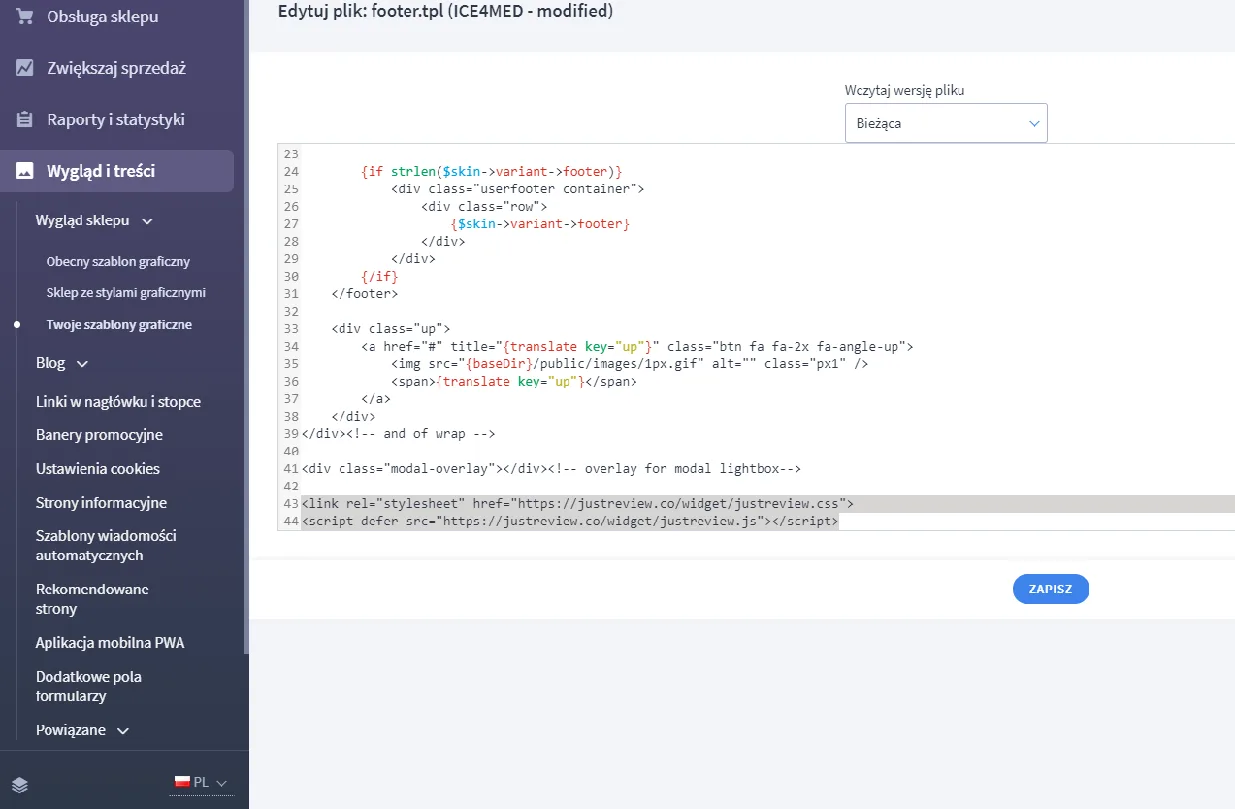
-
Paste part 3 where the widget should appear.
Still in Edycja zaawansowana, open the template that renders the target page, for example
index.tpl, and paste part 3 there.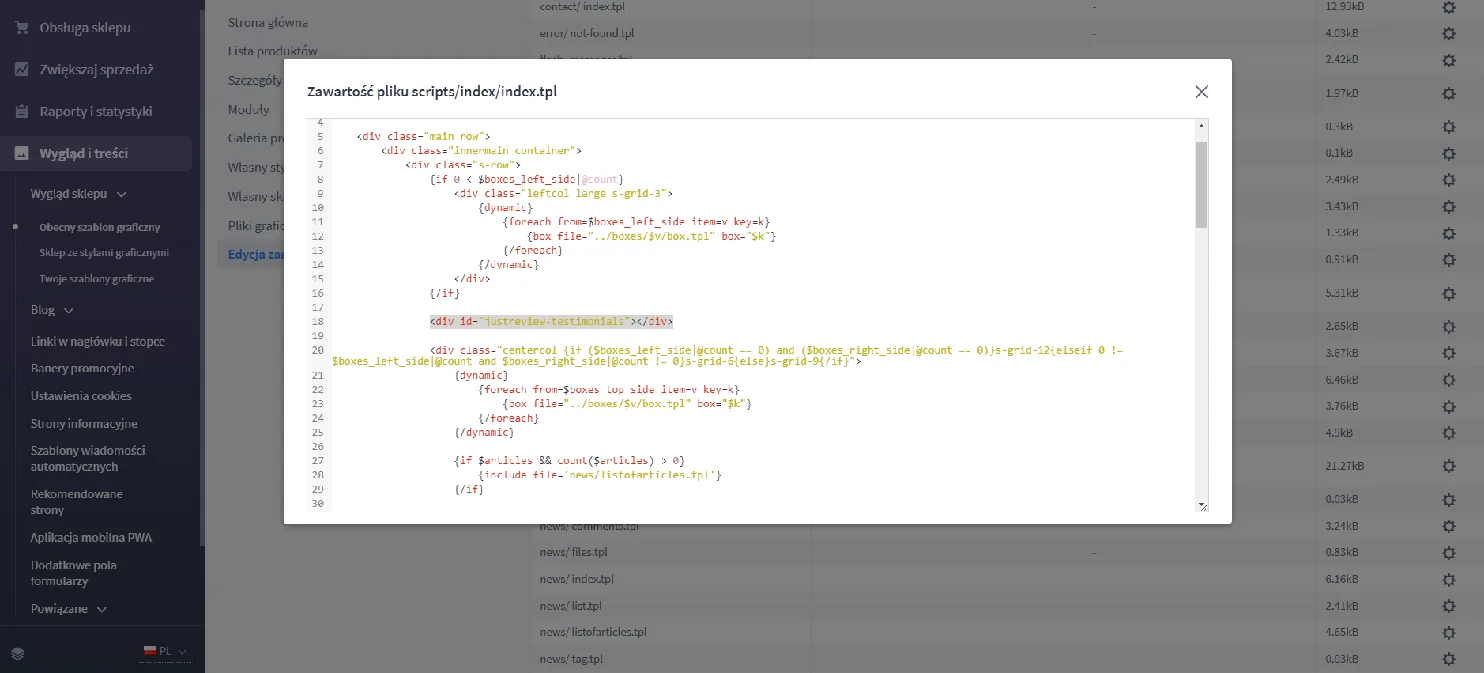
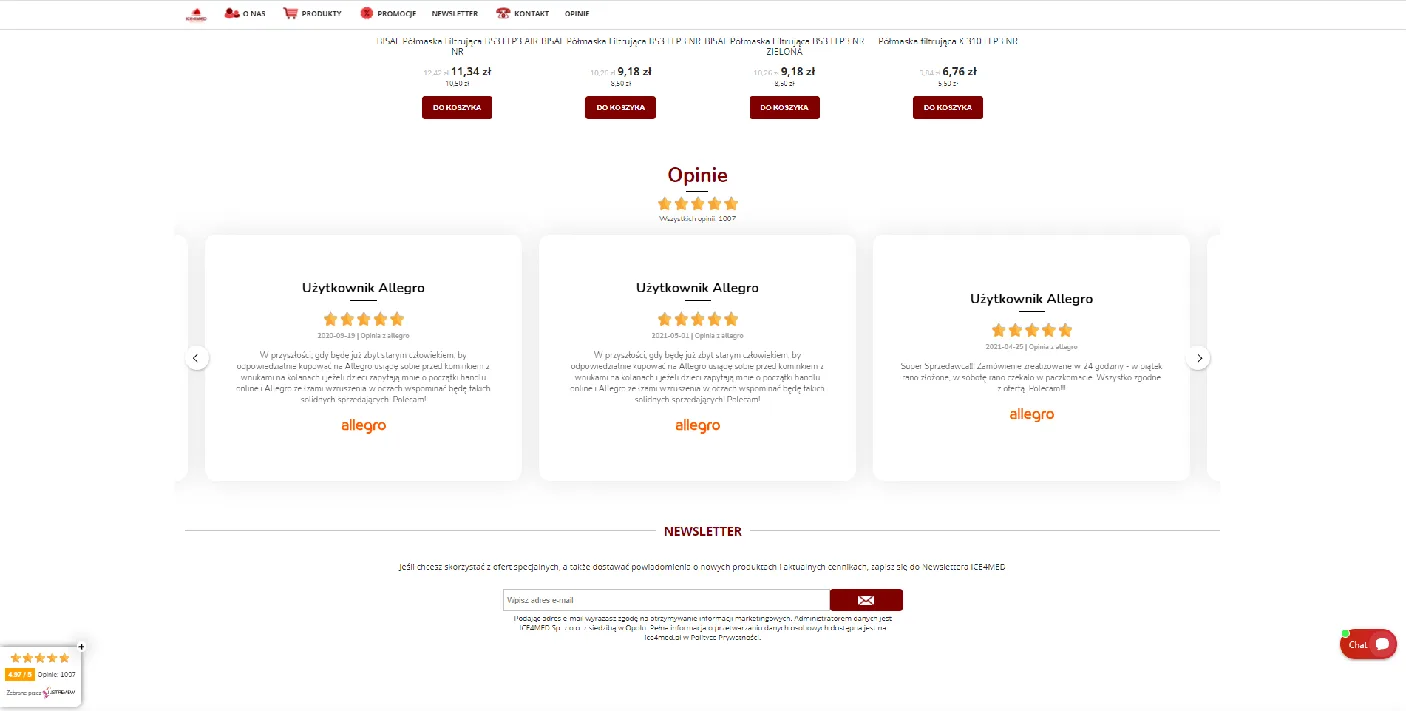
Widget still not visible?
- Part 2 has no
<script>tags in the custom JS field. With them, the whole file fails. - Domain whitelist in Settings matches your shop address.
- Part 3 is present in the template that renders the page you are viewing.
- Template cache cleared after editing.
- The Badge widget needs at least one review before it shows anything.