

Email notifications about new reviews
JustReview can email you when your connected sources bring in new reviews, so you do not have to open the dashboard to find out. Everything is in the Review notifications card at the bottom of Settings.
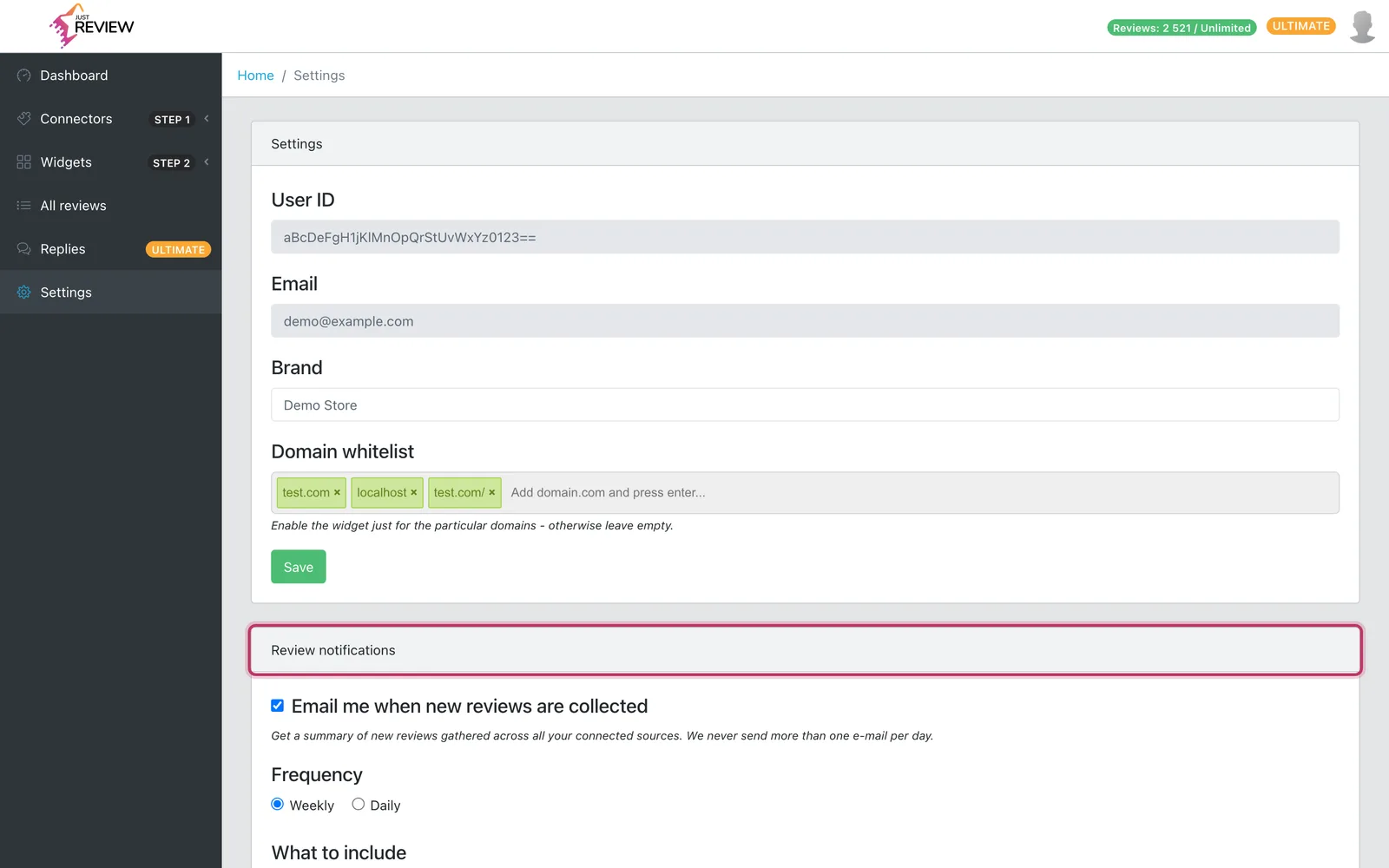
The three settings
-
Email me when new reviews are collected is the master switch. It is on by default. Turn it off and nothing from this channel reaches you, including the low-rated review alert below.
-
Frequency is Weekly or Daily. Weekly is the default. Daily does not mean one email every day, it means at most one: if nothing new came in, nothing is sent.
-
What to include is All new reviews or Only negative (1–2★). Pick the second one if you only want to hear about reviews that need a reply.
Press Save under the card. The change applies to the next send.
What is in the email
A summary, not a copy of every review:
- how many new reviews arrived, split into positive (4–5★), neutral (3★) and negative (1–2★),
- how many came from each connected source,
- the best and the worst of the new batch, quoted,
- a link straight to your dashboard.
On Only negative the email drops the positives and shows the low-rated ones alone.
“New” means new to you, not new in our database
Sources are re-read on a schedule, and a re-read pulls the same reviews again. We keep a per-account record of what we have already told you about, keyed on the review’s own identifier at the source, so a routine refresh never counts as a fresh batch. You get an email when there is something you have genuinely not seen.
The first email after an import
The very first summary works differently: it is titled Your reviews are ready in JustReview and it arrives once, after your first import has finished, no matter which frequency you picked. The same one-time email is sent when you connect another source and it pulls in a large history.
Instant alert about a bad review
Separately from the summary, a review of 1 or 2 stars triggers an email of its own, checked every half hour, so you can respond while it still matters. Three things keep it quiet:
- at most one alert every 6 hours per account, so a run of bad reviews produces one email listing them, never one per review,
- only reviews from the last 60 days, because a five-year-old complaint appearing in our database today is not an event you can react to,
- no alerts for history imports, so connecting a source with years of feedback does not fire a storm. Those reviews still appear in the regular summary.
The alert uses the same Review notifications switch. There is no separate opt-out, because two switches for one kind of email would only be confusing.
Where the emails go, and how to stop them
They go to the address on your account, the one in the Email field in Settings. That field is read-only, so if it is the wrong mailbox see account email, password and deleting your account.
Every notification has an unsubscribe link in the footer. It switches off only this channel and leaves the rest of our email alone, exactly like unticking the box in Settings. It works the other way round too: unsubscribing from our other emails does not stop these.
If nothing arrives
-
Check that the switch in Settings is actually on and that you pressed Save.
-
Check spam and any filters or rules on your mailbox.
-
Remember the cadence: on Weekly the gap between two summaries is a full week, and on Only negative an inbox with no new low-rated reviews is the correct outcome.
-
Still nothing? See password reset email is not arriving — the causes are the same for any email we send — or write to [email protected].