

Install the widget on Wix
This guide uses the JustReview Testimonials widget as the example. Every other widget works the same way.
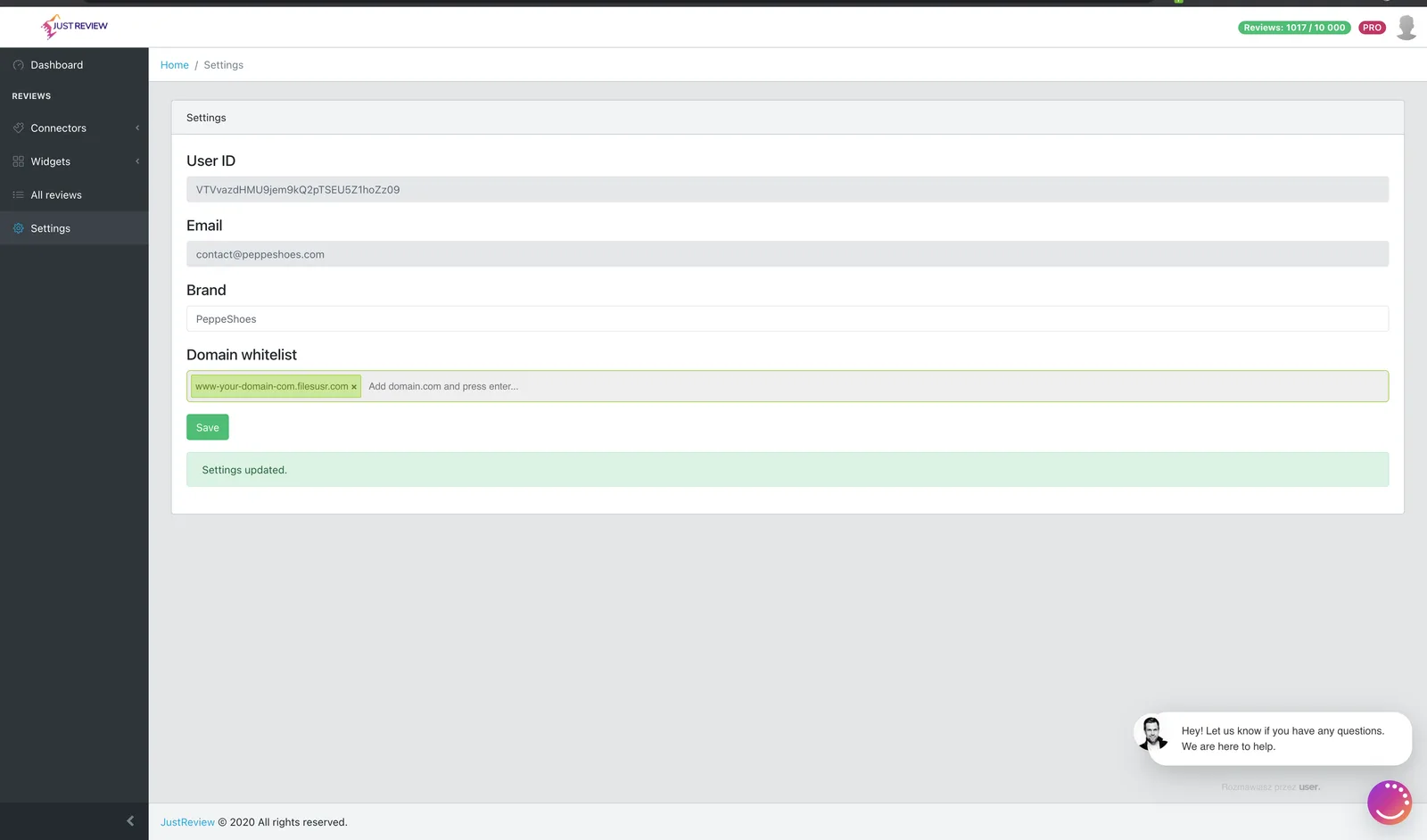
Wix is the one platform where the domain whitelist needs special attention, see the warning below.
-
Build your widget and click “Generate Code for your website”.
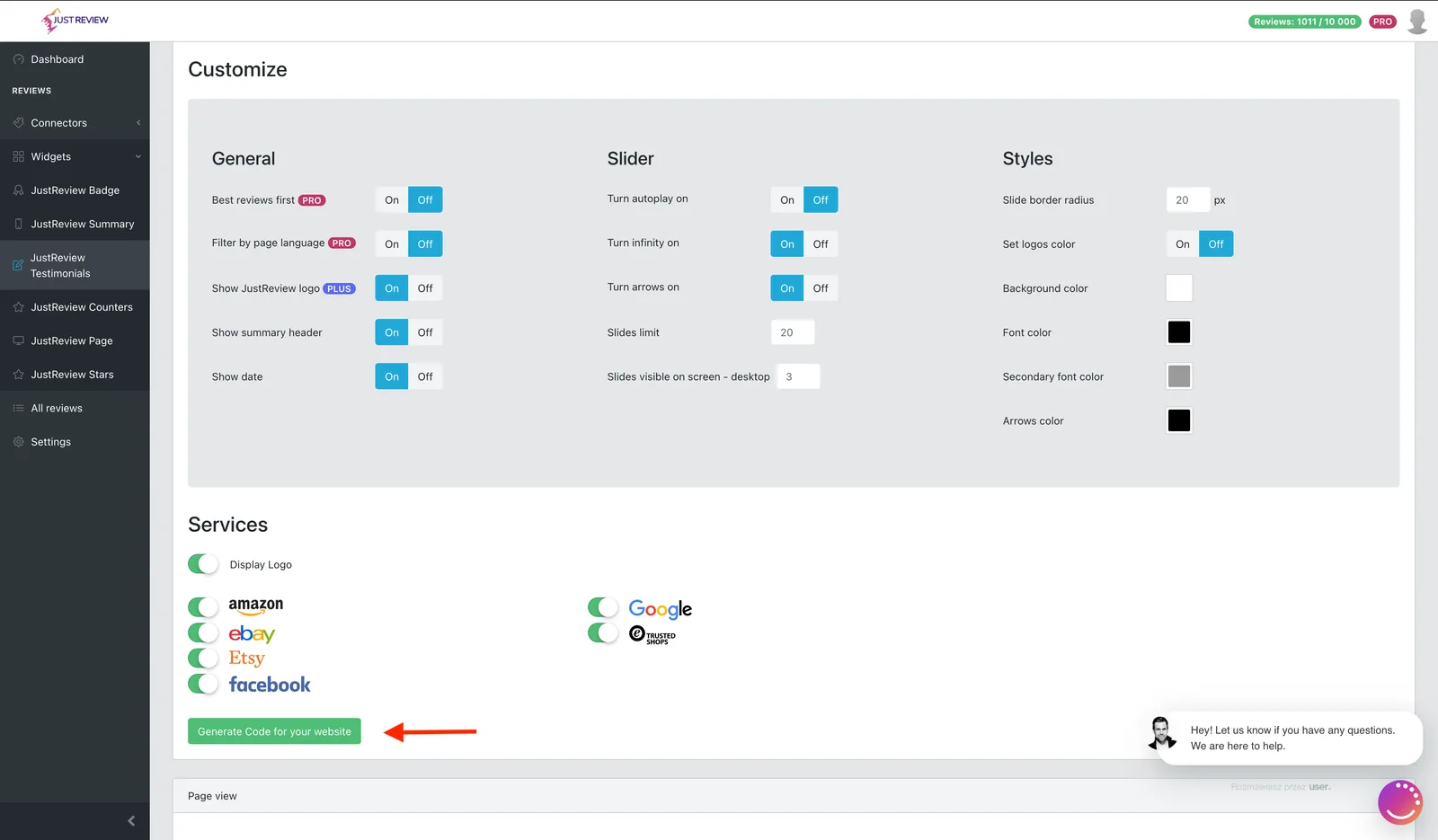
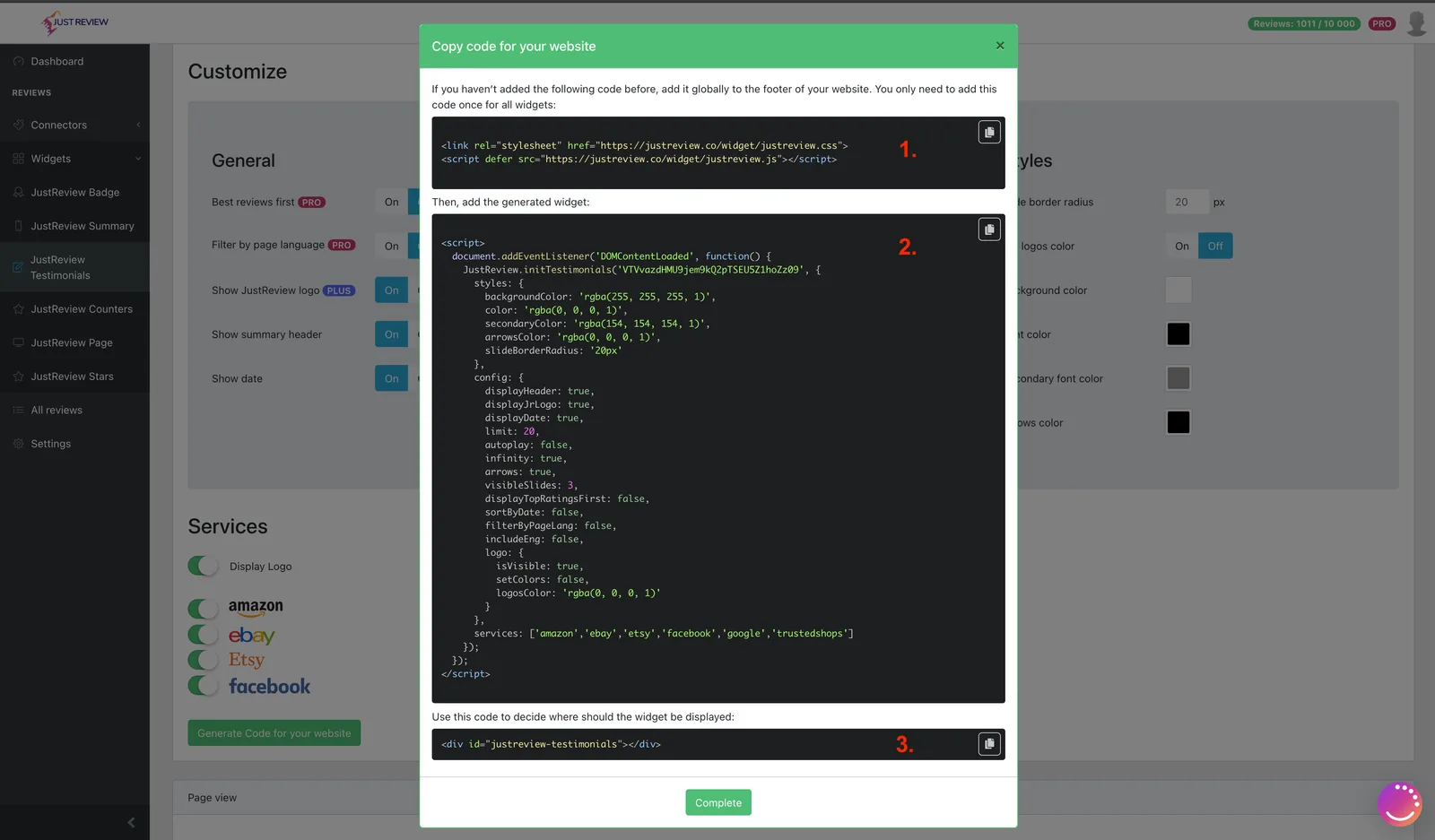
-
In the Wix Editor, add an HTML Box, then click Edit Code.
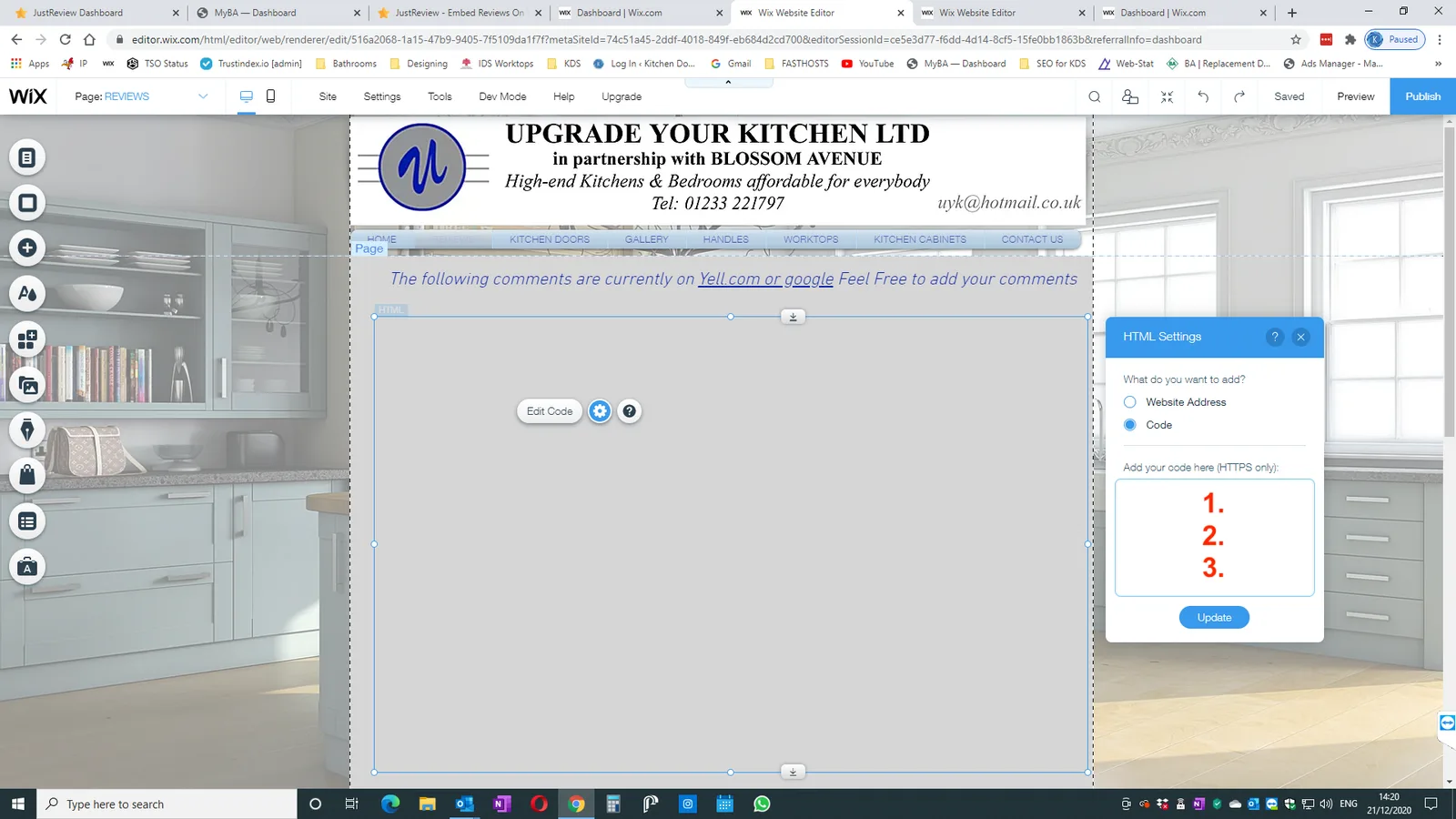
-
Paste all three parts of the code into the box.
Wix is different here: everything goes into the same HTML Box, parts 1, 2 and 3 together.
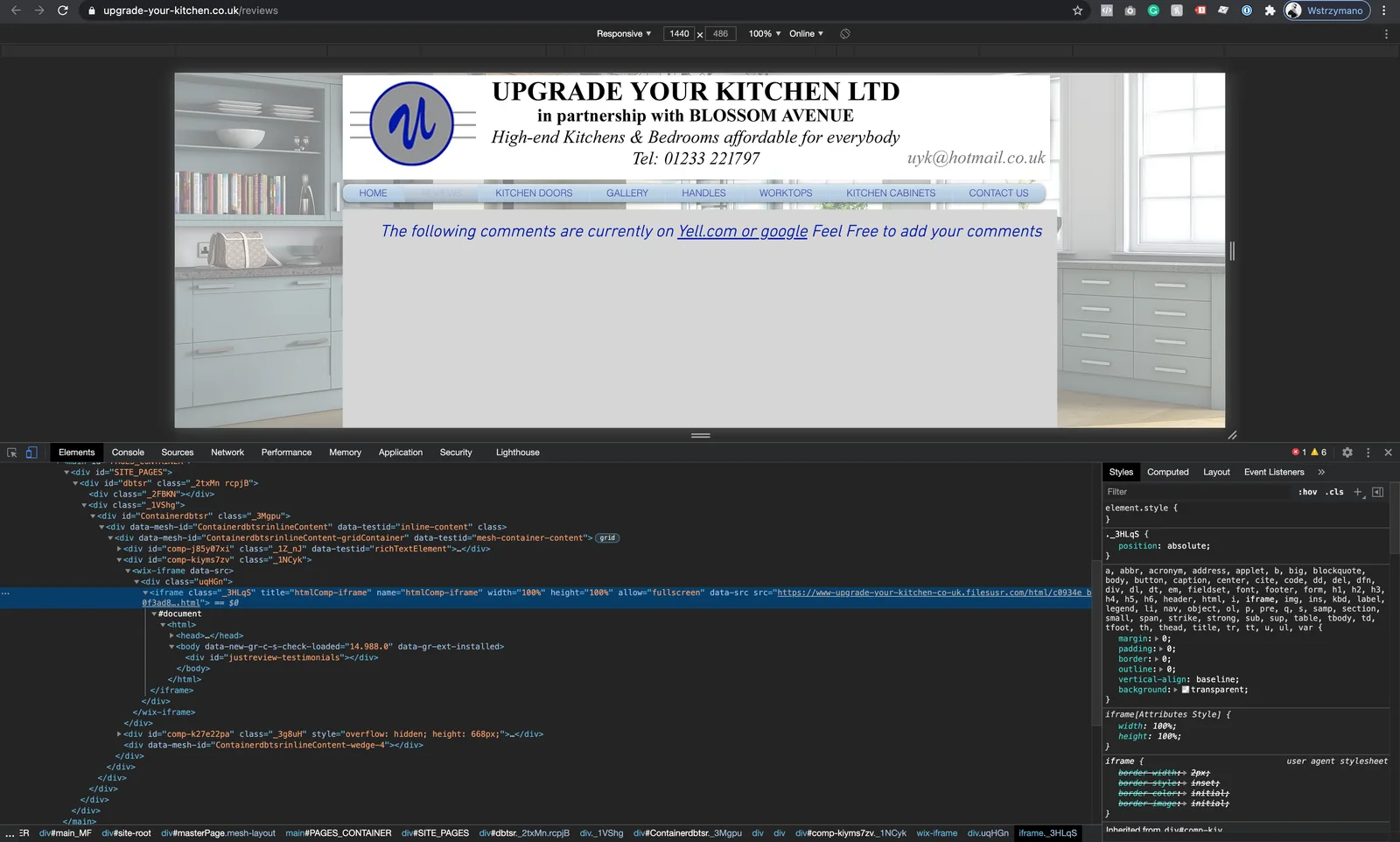
-
Publish the site.
Widget still not visible?
- The iframe host is whitelisted in the
filesusr.comform above, or the whitelist is empty. - The site is published. Editor previews do not count.
- All three parts are inside the same HTML Box.
- The HTML Box is tall enough. Wix gives it a fixed height, so a taller widget gets clipped. Drag the box bigger.
- The Badge widget needs at least one review before it shows anything.