Basic
Free
- 100 stored reviews
- Google, Facebook
- Badge layout
- Unlimited page views, websites and domains
Free forever, no credit card.

WordPress
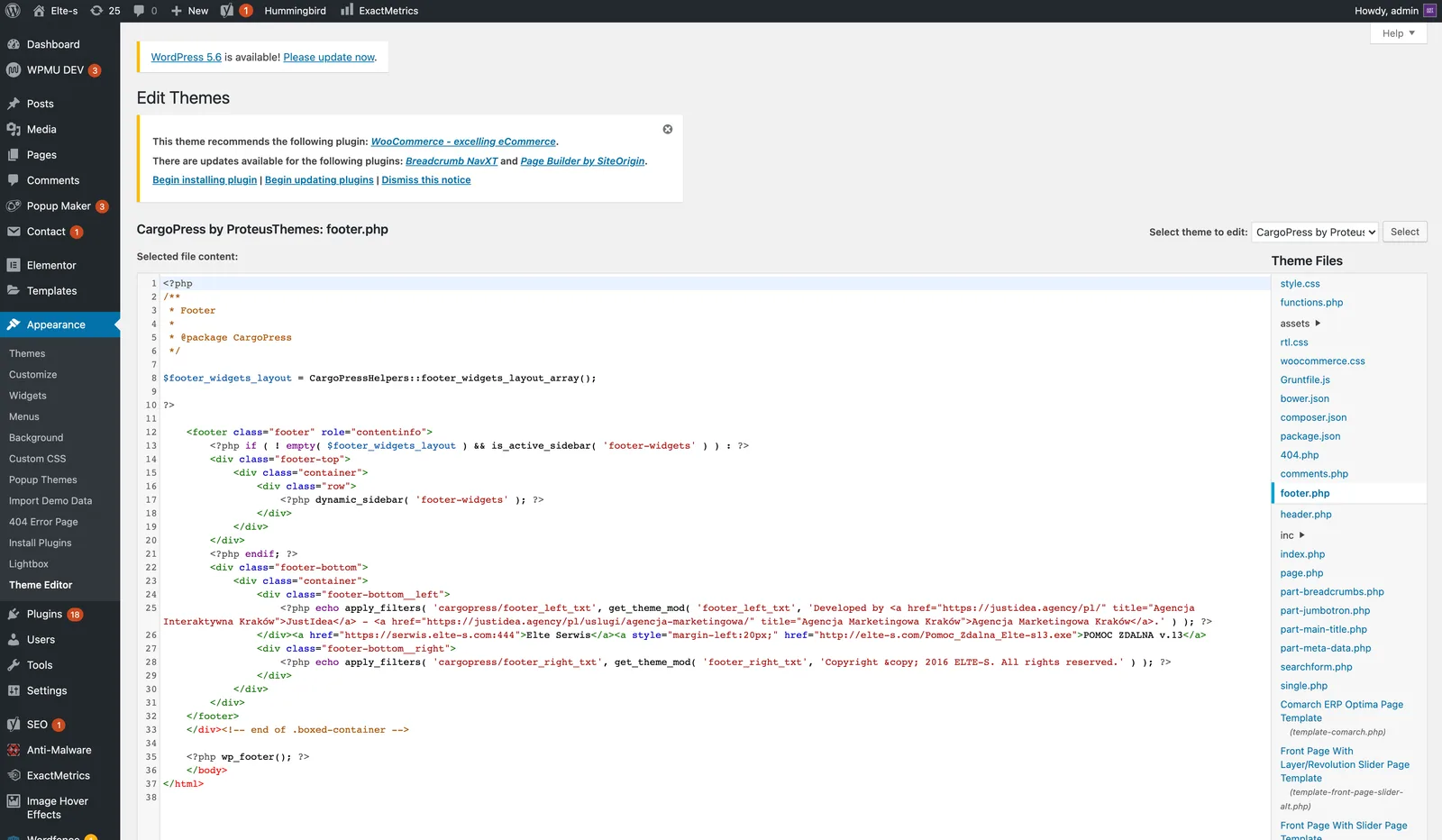
You add Google reviews to WordPress by connecting your Google Business Profile to a reviews tool and pasting its three-line snippet into a Custom HTML block, a code snippet plugin, or your child theme footer. WordPress executes the script only if the user who saved the page is an administrator, which is the reason most "it disappeared after saving" reports happen. No plugin is required.
Start freeFree plan, no credit card. Unlimited page views, websites and domains on every plan.
WordPress strips script and iframe tags from content saved by anyone without the unfiltered_html capability, which by default means anyone who is not an administrator (and nobody but the super admin on multisite). Security plugins can remove it too. Save the page as an administrator, or use a code snippet plugin that stores the script outside post content. On WordPress.com rather than self-hosted, scripts need the Business plan and hosting features switched on; the plan upgrade alone is not enough.
This page is the decision, not the walkthrough. For the screen-by-screen version see the three routes compared, with what each one costs, or the installation article in the knowledge base.
Every tool in this market advertises a free Google reviews widget and every one of them draws a line somewhere. Here is ours, before you sign up rather than after.
| What you want | Free (Basic) | Starts on |
|---|---|---|
| Google reviews imported, refreshed every 24 hours | Yes | Free |
| Facebook reviews, same terms | Yes | Free |
| Badge: floating rating and review count | Yes | Free |
| Stored reviews | Up to 100 | More on paid plans |
| Unlimited page views, websites and domains | Yes | Free |
| Carousel and counters that show the review text | No | Plus, 9 EUR / month |
| Marketplace sources (eBay, Amazon, Etsy and others) | No | Plus, 9 EUR / month |
| Widget without the JustReview credit (white label) | No | Plus, 9 EUR / month |
| Stars layout with rich snippet data | No | Pro, 19 EUR / month |
The full matrix is on the pricing page. Paid plans come with a 7-day trial and no card up front.
Free
Free forever, no credit card.
9 EUR / month
7-day free trial.
19 EUR / month
7-day free trial.
Prices verified 2026-07-26. There is a fourth plan, Ultimate, for review sources that we buy per crawl; the pricing page has the full table.
On 4 August 2026 we identified the platform behind every site running our widget: 449 of 632 hosts answered. WooCommerce accounted for 120 and WordPress without WooCommerce for 82, so the WordPress ecosystem is roughly 45% of all live installations, more than every other platform combined. What those accounts connect is different from Shopify: on WooCommerce, Google 78%, Facebook 36%, marketplace sources 17%. On WordPress without a shop, Google 79% and marketplace 7%. If you are on WordPress, Google really is the source that matters, and it is on the free plan.
WordPress gives you more places than you need, so the useful question is which page is doing the selling. On a business site that is the home page and the service or pricing page, both above the point where the visitor has to decide. On a shop it is the cart and checkout area, because that is where hesitation costs money. The sidebar is tempting because it is easy, and it is usually the worst spot: it is the part of the page people have learned to ignore, and on a phone it lands under the content where nobody scrolls. If your theme has a footer widget area, the badge or a compact layout there works site-wide with one paste.
The WordPress.org directory has review plugins with hundreds of thousands of installations, and they are a reasonable choice: one click, no code, updates through the dashboard. What you take on is another plugin in the update queue, another codebase with access to your site, and in most cases review data stored inside that plugin. A snippet is three lines that you can remove in ten seconds, works on any host including WordPress.com Business, and keeps the reviews in your own account. Neither answer is universally right.
Not a screenshot and not a mockup. The carousel below and the floating badge in the corner are both loaded by the same script you would paste into your WordPress site. On your site they would show your Google reviews, in exactly these layouts. Here the badge shows our Google rating and the carousel shows our reviews from Capterra, G2 and Facebook, because that is where our English-speaking customers wrote and we would rather show you real ones than a mockup. The badge is the free layout; the carousel starts on Plus, 9 EUR a month, which is exactly the difference this page keeps talking about.
Connect the profile, pick a layout, paste three lines. Up to 100 reviews on the free plan, refreshed every 24 hours, no credit card and no expiry date.
Start freeSame widget, other platforms: Squarespace, Shopify, Wix. Also useful: the Google reviews widget page, what the free plan covers, the pricing table and comparisons with other widgets.