Basic
Free
- 100 stored reviews
- Google, Facebook
- Badge layout
- Unlimited page views, websites and domains
Free forever, no credit card.

Wix
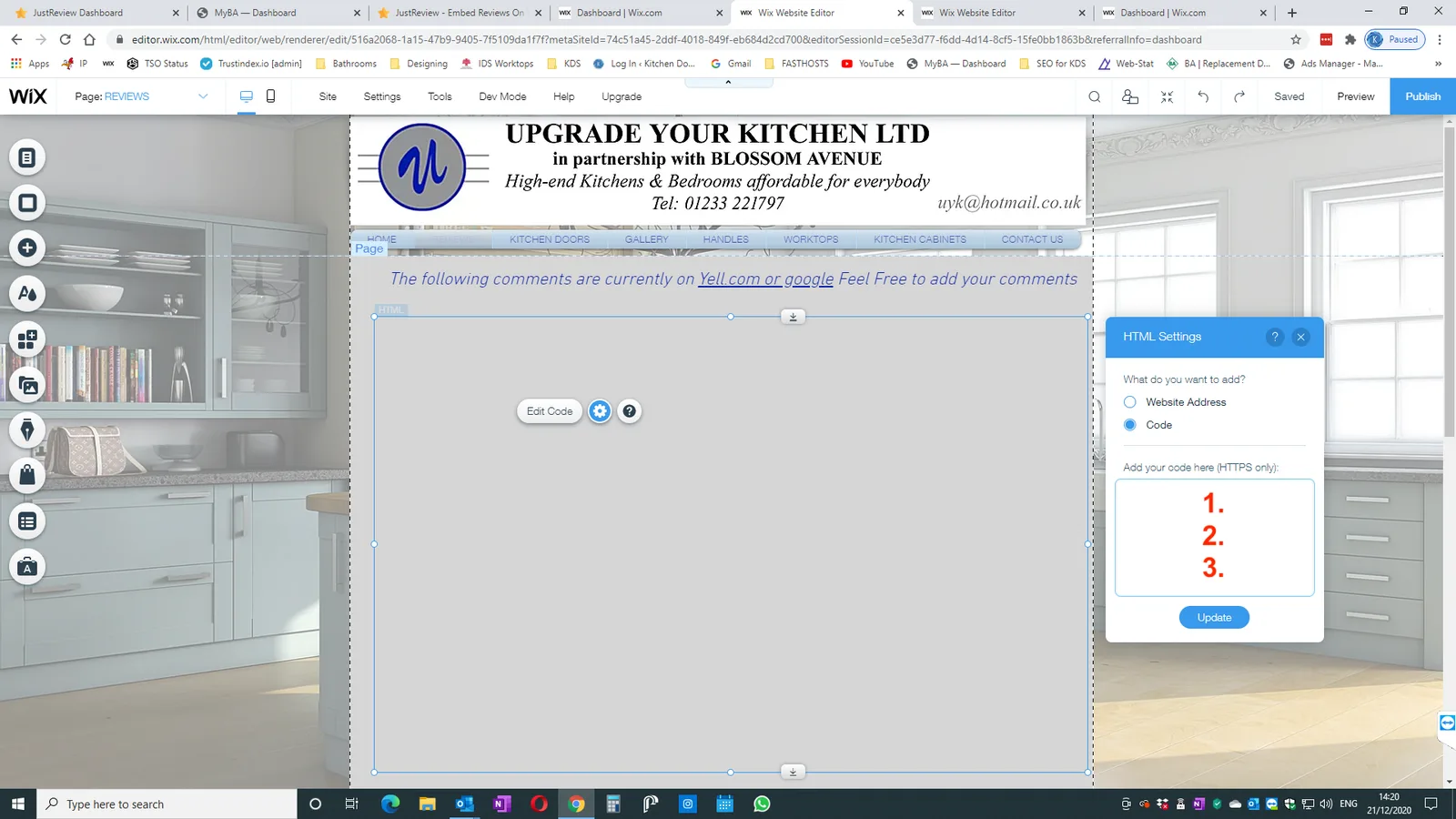
You add Google reviews to Wix by connecting your Google Business Profile to a reviews tool and pasting its snippet into an embed element: Add, Elements, Embed, Embed code. Wix renders that code inside a sandboxed iframe over HTTPS, which means the box does not grow with its contents. You set the height yourself, and the right number depends on the box width.
Start freeFree plan, no credit card. Unlimited page views, websites and domains on every plan.
Everything you paste on Wix lands in a sandboxed iframe. Three consequences follow, and no widget avoids them: the source must be served over HTTPS, a source that refuses to be framed will not show at all, and the frame has a fixed height that you type into the size panel. If the height is short, the reviews are cut off. If it is generous, you get white space under them. This is why a Wix page needs one number that the other platforms never ask for.
This page is the decision, not the walkthrough. For the screen-by-screen version see the full height table and where the pixels go, or the installation article in the knowledge base.
Every tool in this market advertises a free Google reviews widget and every one of them draws a line somewhere. Here is ours, before you sign up rather than after.
| What you want | Free (Basic) | Starts on |
|---|---|---|
| Google reviews imported, refreshed every 24 hours | Yes | Free |
| Facebook reviews, same terms | Yes | Free |
| Badge: floating rating and review count | Yes | Free |
| Stored reviews | Up to 100 | More on paid plans |
| Unlimited page views, websites and domains | Yes | Free |
| Carousel and counters that show the review text | No | Plus, 9 EUR / month |
| Marketplace sources (eBay, Amazon, Etsy and others) | No | Plus, 9 EUR / month |
| Widget without the JustReview credit (white label) | No | Plus, 9 EUR / month |
| Stars layout with rich snippet data | No | Pro, 19 EUR / month |
The full matrix is on the pricing page. Paid plans come with a 7-day trial and no card up front.
Free
Free forever, no credit card.
9 EUR / month
7-day free trial.
19 EUR / month
7-day free trial.
Prices verified 2026-07-26. There is a fourth plan, Ultimate, for review sources that we buy per crawl; the pricing page has the full table.
Few. In our platform inventory of 4 August 2026, where 449 of 632 live hosts were identified, Wix sat in the tail alongside Joomla, GoDaddy, Drupal and Weebly: nine hosts between them. WooCommerce had 120 and WordPress 82. We are telling you this because the numbers on the rest of this page are ours and we would rather publish the small one than quietly leave it out. What it means in practice: the widget works on Wix and the heights above are measured, but Wix is not where most of our users are.
The embed element is a fixed box, so on Wix the placement decision is really a layout decision. Put it in a full-width section rather than a narrow column: at 1200 px the widget shows three reviews side by side, at 760 px it shows two and gets taller, and inside a sidebar column it becomes a tall strip that pushes everything down. Under the hero on the home page and above the contact form are the two spots that pay off. Whatever you choose, open the mobile editor afterwards and set the height there separately, because the phone canvas is narrower and the desktop number will be wrong.
The App Market has a Google Reviews app with thousands of ratings, and for many sites that is the shortest path. Two reasons people still paste code: an app that only reads Google leaves your Facebook and marketplace reviews out, and app pricing is separate from whatever tool you already use elsewhere. If Google is your only source and Wix is your only site, the app is probably simpler.
Not a screenshot and not a mockup. The carousel below and the floating badge in the corner are both loaded by the same script you would paste into your Wix site. On your site they would show your Google reviews, in exactly these layouts. Here the badge shows our Google rating and the carousel shows our reviews from Capterra, G2 and Facebook, because that is where our English-speaking customers wrote and we would rather show you real ones than a mockup. The badge is the free layout; the carousel starts on Plus, 9 EUR a month, which is exactly the difference this page keeps talking about.
Connect the profile, pick a layout, paste three lines. Up to 100 reviews on the free plan, refreshed every 24 hours, no credit card and no expiry date.
Start freeSame widget, other platforms: Squarespace, Shopify, WordPress. Also useful: the Google reviews widget page, what the free plan covers, the pricing table and comparisons with other widgets.